windows 10

dillos

Full Member
Joined
Oct 29, 2011
Location
earth
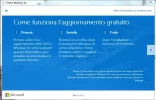
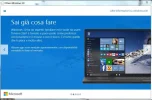
today when i check update for my system windows 7 a window from microsoft appeared and it say to reserve my free copy of window 10 , write my email andress and when the download (approx 3 giga) is ready my system start download and replace window 7 automatically .. I am undecided whether to do this.. because maybe there is compatibility issue with my program and casino installed .. What do you say ? install it or stay with window 7
 

Attachments

  • Cattura.webp
    Cattura.webp
    48.9 KB · Views: 648
  • Cattura2.webp
    Cattura2.webp
    46.6 KB · Views: 641
today when i check update for my system windows 7 a window from microsoft appeared and it say to reserve my free copy of window 10 , write my email andress and when the download (approx 3 giga) is ready my system start download and replace window 7 automatically .. I am undecided whether to do this.. because maybe there is compatibility issue with my program and casino installed .. What do you say ? install it or stay with window 7

I would with no doubt click reserve it. It has all or at least most bugs removed from problems with windows 8. They skipped windows 9 because of this. I have researched a lot on this and not everyone has got the chance for this free windows 10 already.

It is of course best if you have a touch screen (maybe a reason to get one now) but brilliant without as well because if the integrated desktop so no messing around. From my research windows 10 should be great and you have better security build in also speed is excellent and it also clearly state that anything you already have installed on computer will be compatible.

So you should not have any problems with anything here. If it is not compatible then my understanding is there is a build in feature to support old formats. BUT this is from windows 8 so not sure now that you will make a big jump from windows 7. But I would recommend you to do it I have just myself opted in and made reserve. :thumbsup:

Also it will not just install it straight away as its not ready until end of july more precise its 29th July. And it will only reserve it if you decide this. When it is ready you will only get notification if you want to make upgrade and install windows 10.

UPDATE:

You do not have permission to view link Log in or register now.


Just adding specs required for that upgrade which is important to know for OP and other members here at casinomeister also more info at microsoft website link above:

Processor: 1GHz or faster
RAM: 1GB (32-bit) or 2GB (64-bit)
Free hard disk space: 16GB
Graphics card: Microsoft DirectX 9 graphics device with WDDM driver
A Microsoft account and Internet access

 
Last edited:
If you're happy with the windows version you got at the moment I would wait like googo said for service pack 1 to come out . also win 10 is only free for a year I think if upgrading.

Hi incorrect about free for a year only. The few selected can if choose to upgrade have windows 10 for free and they will get windows 10 free for lifetime. And there will be millions not getting this chance and then you will have to pay $199 or at least $99 to get windows 10 legally. So IMHO really worth getting it as support for old windows system will go away. Windows 7 has already been abandoned.
 
never believe the min specs to have it run decent you will need

cpu 2 gig
ram 4gig
video card 1 gig

ive seen win 8 laptops after one program installed take 30 seconds to load a window.

win 10 is just out or testing and still will be very buggy wait 6 months let other find the bugs hence the whole free thing you can ask for money back for something you did not pay for :)
 
I would with no doubt click reserve it. It has all or at least most bugs removed from problems with windows 8. They skipped windows 9 because of this. I have researched a lot on this and not everyone has got the chance for this free windows 10 already.

It is of course best if you have a touch screen (maybe a reason to get one now) but brilliant without as well because if the integrated desktop so no messing around. From my research windows 10 should be great and you have better security build in also speed is excellent and it also clearly state that anything you already have installed on computer will be compatible.

So you should not have any problems with anything here. If it is not compatible then my understanding is there is a build in feature to support old formats. BUT this is from windows 8 so not sure now that you will make a big jump from windows 7. But I would recommend you to do it I have just myself opted in and made reserve. :thumbsup:

Also it will not just install it straight away as its not ready until end of july more precise its 29th July. And it will only reserve it if you decide this. When it is ready you will only get notification if you want to make upgrade and install windows 10.

UPDATE:

You do not have permission to view link Log in or register now.


Just adding specs required for that upgrade which is important to know for OP and other members here at casinomeister also more info at microsoft website link above:

Processor: 1GHz or faster
RAM: 1GB (32-bit) or 2GB (64-bit)
Free hard disk space: 16GB
Graphics card: Microsoft DirectX 9 graphics device with WDDM driver
A Microsoft account and Internet access

thanks... you are very exhaustive for this matter :thumbsup:
 
Hi incorrect about free for a year only. The few selected can if choose to upgrade have windows 10 for free and they will get windows 10 free for lifetime. And there will be millions not getting this chance and then you will have to pay $199 or at least $99 to get windows 10 legally. So IMHO really worth getting it as support for old windows system will go away. Windows 7 has already been abandoned.

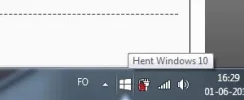
so maybe i should go ahead as well then:) this just popped up today, get Windows 10
 

Attachments

  • win10.webp
    win10.webp
    3.8 KB · Views: 620
This is certainly a novel way to launch a new O/S.

I've received the option to get 10 free, and despite some fears that it may screw up something else on my desktop I think I'm going to go for it, although I've been very happy with 7.

Big up to Paaske for all the research done here.
 
...and you have better security build in..

That is my main concern actually. They said that when they launched Vista and it was a bloody nightmare whenever you wantedt to do something. That OS still gives me nightmares just thinking about it :cool: Windows 8 was very good IMO but I am going to wait for a few months and see how others react first.

This is also the last Win OS to receive a number apparently.
 
I've got one of the little Win10 icons on all of my Win7 computers. I'm concerned about my computers at work - will my old software (such as QuickBooks) work properly with Win10? I doubt it. And another thing. I ran around in a frenzy buying Win7 computers a couple of years ago specifically because I hated Win8 (and my friends all hate it, too) so badly I refused to buy a computer with that OS on it. So... is it worth signing up for the Win10 update?

I found it funny that a friend who thinks of herself as a computer whiz just had to run out and buy a computer with Win8 on it. Oh it's great she said. After she downloaded apps and reconfigured everything on it, 'it looks and acts just like - well almost - Windows 7' she says. :eek2: She fails to see why I think that's hilarious.

Edited to add: Someone mentions time to get a touchscreen monitor? I can see it on a laptop, but on a desktop? I have a 27" monitor at home and have to sit up, lean forward, and stretch to even get near my monitor. Monitor at work is a 24" and same thing.... I'm short and don't sit on top of my desk and therefore can't see the benefit of touchscreen.
 
I found it funny that a friend who thinks of herself as a computer whiz just had to run out and buy a computer with Win8 on it. Oh it's great she said. After she downloaded apps and reconfigured everything on it, 'it looks and acts just like - well almost - Windows 7' she says. :eek2: She fails to see why I think that's hilarious.

:lolup:

I have been testing windows 8.1 for two weeks now on my new system, and must say, that i quickly got used to it.. no looking linke w7 or anything, and no silly apps, just the stock, and my own old and faithfull proggies.. which all worked without fail so far.. it also seems to manage everything that relates to virtual memory, free disk space and the whole shazam, better then w7 did, so that is good.

Thinking about jumping to 10 now, but will keep on testing 8.1 for a bit longer first..
 
I was ecstatic when I found I was able to get Windows 10 free. I'm going to be honest, it looks amazing and I can't wait till when it switches over and we can start using it.
 
So,

No internet guru can tell me if I missed it altogether?

Since my little "reserve your copy" box is gone?

I couldn't tell you for sure. I was looking around earlier, and it seems by the general reports that it's hit and miss as far as when you'll get it :(

It's not bad, but I'm still learning my way around it, coming from Windows 7.

Also, when asked, be sure to change the privacy settings during install. You wouldn't believe the crap they want you to disclose to microsoft after installation about your daily activities. At least they let you opt-out of this.

edit: I can't find the reddit page I was looking at earlier, but it seems that there is a subdirectory in C:\windows that's made for the Windows 10 download files. Do a search for files over 3GB in size in this directory, and you should find it. From there, you can convert/burn it to a DVD and install (if it's there) :thumbsup:

ie: windows key+f, then ctrl+f , and put in "size:>3000 MB" , without the quotes. Be sure to have it search in "my computer."
 
I'm usually one that doesn't like change at all (Up until 1.5 years ago, I was still running XP!,) but Windows 10 has very subtle changes compared to 7...

As an advanced user, I love the powershell that's taken over the old command prompt, for the sole reason of being able to use windows shortcuts to C&P stuff...ie: ctrl+a, ctrl+c, ctrl+v, etc....I'm still digging into the other features it offers, but so far, so good....

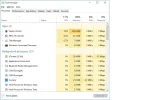
The task manager is an excellent upgrade, as well. It's more graphical with advanced details and so forth. Easy on the eyes:

(note: Unlike previous Windows versions, there's no "safeguard" in place to ask you if you *really* want to terminate a process. It just goes ahead and kills it.)

task manager.webp

Still learning more stuff about 10, but so far, I think it was worth the 2.5 hours it took to upgrade. lol Besides the lengthy install process, the only gripe I have about the install is it didn't install legacy drivers automatically for my (very old) graphics card, which is about 7-8 years old. It's a GeForce 8600M GT. I had to go to Nvidia's site and download them directly.
 
so far for me the install has been great, the only problem i've ran into so far is the previous file permissions for frequently used folders such as pictures were set to read only after the upgrade, but that was a simple tick box to fix.

i updated my gfx grivers with the windows 10 nvidia drivers after the upgrade , no issues so far, the only thing i havent read about which i should have done first, would be if you wanted to wipe the pc and do a fresh win 10 install, whether that requires you to do a win7 install then upgrade or if there is an iso you can grab and just start from a total fresh install of win10.
 
Since my little "reserve your copy" box is gone?
I've been putting off doing anything, since I'm pretty happy with Windows 8.1 - apart from not getting any sounds on most of MG's slots... :mad:

Then I just read this thread where it says the deadline for the free version was 2 days ago :eek:
However, my "reserve your copy" icon was still there this-morning - probably because I virtually never turn my laptop off!
So I've reserved it, but will wait & see what others say before going ahead & installing.
If I have to pay for it after a year I will be VERY unhappy - I don't think they should be charging anyone for existing computers running one of their older OS's - totally out of order. :(

KK
 
Personally, I hate Windows 8. It's dumbed down and tries to act like my production computer is a tablet. Microsoft seems to forget that there are plenty of people who still need to design websites, photos, film, and art on large screens and we aren't teenagers with a handheld device.

But I'm joining the flock just for shits and giggles - just reserved my woo woo free version of Windows 10. If I don't like it, perhaps defenistrating the computer is in order.

My favorite version of Windows was Windows XP - second choice is Windows 7.
 
You wouldn't believe the crap they want you to disclose to microsoft after installation about your daily activities.

pretty standard in our big brother day and age. basic programs on android want access to SD card, camera, phone calls, file manager etc. wants to own my phone for the price of using their apps. 'i have nothing to hide' mentality in front of total strangers disguised as applications/companies/collecting data agencies is like abandoning your privacy and become a slave with own consent. as of late every new product digital/physical must have a surveillance function integrated to appeal the masses.
 
If anyone who is eligible for a free upgrade hasn't seen theirs kick in yet, you can download directly from
You do not have permission to view link Log in or register now.


I've tested all my software and not had any issues. My only real problem was seeing candy crush installed by default and added to the menu.

It made me realise though that this free upgrade is all about encouraging people to purchase from their app store. For example, using the oversized search bar in the bottom left will prioritise many items from the store whether you own them or not. I'm sure they will make a lot of money this way and makes giving away a free upgrade worth it.

If you're a basic user and already happy with your current OS, just stick with it.
 
You wouldn't believe the crap they want you to disclose to microsoft after installation about your daily activities. At least they let you opt-out of this.

You can opt-out of some adversing, but they have this in the terms.

We will access, disclose and preserve personal data, including your content (such as the content of your emails, other private communications or files in private folders), when we have a good faith belief that doing so is necessary to protect our customers or enforce the terms governing the use of the services.

I noticed you running uTorrent. I'm sure like every other p2p user you only download legal backups of content you already own ;). However if you were to accidentally download a movie or song illegally, then most likely someone will know about it.

I doubt it's anything to worry about really, but if the terms for windows 10 were to be scrutinised in the same way we do for online casinos, then you should just consider it as having zero privacy and anything and everything you do can be indexed and logged. I wonder what percentage of users actually read the terms, I imagine less than 1%.
 
If anyone who is eligible for a free upgrade hasn't seen theirs kick in yet, you can download directly from
You do not have permission to view link Log in or register now.


I've tested all my software and not had any issues. My only real problem was seeing candy crush installed by default and added to the menu.

It made me realise though that this free upgrade is all about encouraging people to purchase from their app store. For example, using the oversized search bar in the bottom left will prioritise many items from the store whether you own them or not. I'm sure they will make a lot of money this way and makes giving away a free upgrade worth it.

If you're a basic user and already happy with your current OS, just stick with it.

It's kinda funny, too....the gmail "app" is $4.99 :rolleyes: And judging by the reviews, it doesn't do anything special.

Also tried the Alarm Clock HD app (free), and it didn't go off this morning. Glad I wasn't relying on it.

One of the first things I did was disable that annoying and intrusive "search" bar :D
 
Big Brother indeed - that condition is alarming to say the least.

Microsoft seems to be a glutton for punishment. The EU court will not be happy with this, and they will join Google in receiving a large fine and be told to implement a system consistent with the "right to be forgotten" law that royally stuffed Google last year. There is also EU privacy and data protection laws to contend with, and for the sum of £10, UK citizens have the right to be sent every bit of personal data held on us by a company, in writing, on paper, and by post. I could probably build a paper house if I serve Microsoft with an SAR in 2020 after 5 years on Windows 10 :D

The ONLY organisation allowed to do all this is the government, and as Microsoft have admitted to doing this, they can expect demands from the UK and US governments to hand over everything they have on anyone the government sees fit to investigate, and once this starts happening people will stop trusting Microsoft, and may begin to look for an alternative OS in significant numbers.
 
Well I downloaded it and thought it was okay for a while, but ended up downgrading back to Windows 8.1. There is a small glitch with some pc's with the display. You cannot adjust the brightness of the display and I needed sunglasses lol, instant migraine and so on. I will wait to upgrade again when the small glitches are worked out. The layout and such I loved will give it another try later on.
 
Well I downloaded it and thought it was okay for a while, but ended up downgrading back to Windows 8.1. There is a small glitch with some pc's with the display. You cannot adjust the brightness of the display and I needed sunglasses lol, instant migraine and so on. I will wait to upgrade again when the small glitches are worked out. The layout and such I loved will give it another try later on.

I've also noticed that the power settings for laptops is pretty fcked up, too. Even though I have it set to never hibernate/sleep/turn the screen off/etc while it's plugged in, there's been 2 times that I've left to go out for awhile and when I came back, it was asleep. Once I press the power button to "wake it up," my wifi reconnects, but with "limited" (no internet) access. the only thing that cures that is a hard reboot. I'll be going back to 7, myself. I can't be bothered to leave a video playing while I'm gone to prevent this from happening. I wouldn't mind the fact that it goes to sleep that much, but when I have to reboot just to get wifi running again, forget it.
 
I downloaded WIN10 Yesterday. So far it has worked fine I have not tried their "edge" as yet and I am dfdarned if I know what "cortina" is and what am I supposed to ask them!

One problem however, and was woondering if anyone here has come across it.

I keep getting a script error when I try to get messages from Jackpot Capital. It never failed before when I was using that dumb win8.1 or any other kind win 7 etc
I have not tried to see if it works with other JC group
I know it works with club world group
 
A couple of questions for those who have already installed.

I have seen people say anywhere from an hour and a half to more than 2 hours?

Seriously? My pc dl speed is about 30 mbps. Used this, Outdated URL (Invalid) to find

out but it is only for comcast users

And, will I need to be "available" while it downloads? Are there prompts I will need to click

on during the process? Or can I set it to go at night and have it done when I awake?

I am on this thing almost 24/7 so when I do it, I would like it done in my sleep.....lol.

Thanks!

(Oh, and my little "reserve" icon came back, so I do have it reserved now)
 
A couple of questions for those who have already installed.

I have seen people say anywhere from an hour and a half to more than 2 hours?

Seriously? My pc dl speed is about 30 mbps. Used this, Outdated URL (Invalid) to find

out but it is only for comcast users

And, will I need to be "available" while it downloads? Are there prompts I will need to click

on during the process? Or can I set it to go at night and have it done when I awake?

I am on this thing almost 24/7 so when I do it, I would like it done in my sleep.....lol.

Thanks!

(Oh, and my little "reserve" icon came back, so I do have it reserved now)


It took me about 2-3 hours. It automatically restarts several times. There is no need for yu to be up as there are no prompts.

I am saving yu some time here I sat in front of lap top for the 3 hours waiting for a prompt
Good Luck
 
I downloaded WIN10 Yesterday. So far it has worked fine I have not tried their "edge" as yet and I am dfdarned if I know what "cortina" is and what am I supposed to ask them!

One problem however, and was woondering if anyone here has come across it.

I keep getting a script error when I try to get messages from Jackpot Capital. It never failed before when I was using that dumb win8.1 or any other kind win 7 etc
I have not tried to see if it works with other JC group
I know it works with club world group

I've used JC since installing Windows 10 without a glitch...
 
A couple of questions for those who have already installed.

I have seen people say anywhere from an hour and a half to more than 2 hours?

Seriously? My pc dl speed is about 30 mbps. Used this, Outdated URL (Invalid) to find

out but it is only for comcast users

And, will I need to be "available" while it downloads? Are there prompts I will need to click

on during the process? Or can I set it to go at night and have it done when I awake?

I am on this thing almost 24/7 so when I do it, I would like it done in my sleep.....lol.

Thanks!

(Oh, and my little "reserve" icon came back, so I do have it reserved now)

During the download process, everything is automated. Even after that, there's only a few clicks that you'll need to make. It took me 2.5 hours, and 2 of the biggest time wasters was waiting for it to "prepare" for install.

TAKE NOTE: Be sure to change your time zone once you have it installed. IDK wtf was going on, but I never had the option to do so during the install. I thought everything was fine, as the clock was displaying the correct time, but I had a poker room open and all of the tournaments were set to start 3 hours earlier than expected. Only then did I figure out it was set for pacific time instead of eastern. :rolleyes:
 
I'd recommend a custom install. It comes with tons of bloatware and programs you probably don't want. This is fairly early in the process, then go do something else. I just came back now and again to look from the kitchen where I was having coffee with a friend.


Does this mean I pick and choose what parts I want? I have no idea

about that stuff so I would probably really mess it up!
 
Does this mean I pick and choose what parts I want? I have no idea

about that stuff so I would probably really mess it up!

I clicked on every link it gave me with the hopes of choosing what to install.....I was given literally no options of what to leave out. As stated above, I didn't even have the option of setting the most basic of options - my local time zone. :rolleyes:

BTW: Best "feature" Windows 10 has:

Start Menu -> Settings -> Update & Recovery -> "Go Back to Windows 8.1/8/7" -> Get started

Works like a charm!

:D
 
Forced updates makes me avoid Windows 10 (I would happily upgrade otherwise).

I am not about to give a company only interested in gathering my personal data and getting money from me the right to install whatever they want on my computer.
 
BTW: Best "feature" Windows 10 has:

Start Menu -> Settings -> Update & Recovery -> "Go Back to Windows 8.1/8/7" -> Get started

Works like a charm!

:D

Ok, they sent a message that I am ready to upgrade to 10. Does that recovery really roll EVERYTHING back if you don't like the new operating system?
 
I clicked on every link it gave me with the hopes of choosing what to install.....I was given literally no options of what to leave out. As stated above, I didn't even have the option of setting the most basic of options - my local time zone. :rolleyes:

BTW: Best "feature" Windows 10 has:

Start Menu -> Settings -> Update & Recovery -> "Go Back to Windows 8.1/8/7" -> Get started

Works like a charm!

:D


I haven't had any problems yet. Are you having problems?
 
Ok, they sent a message that I am ready to upgrade to 10. Does that recovery really roll EVERYTHING back if you don't like the new operating system?

You could always remove the old C: drive and install 10 onto a new one, then downgrading really should restore everything to how it was.

I am going to first install 10 onto a backup PC that already has the Windows 8.1 infection, and then see how it performs with casinos, tournaments, etc. Only if all goes well will I consider a migration from 7 to 10 on my main machines.
 

Users who are viewing this thread

Accredited Casinos

Read about our rating system and how it's done.
Back
Top