Need Some Computer Tech Help

bebo67

RIP Bebo
Joined
Jun 22, 2013
Location
Ontario Canada
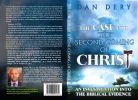
I suck when it comes to resizing images. I have a book cover, front and back, that I am having problems with. I build all my books from scratch, and this cover is not taking because it's an obscure size. I put the variables in and it wont take. I tried resizing in Word, which it did, but I cant change it to be an actual photo, to change to PDF, or can I?
 
I suck when it comes to resizing images. I have a book cover, front and back, that I am having problems with. I build all my books from scratch, and this cover is not taking because it's an obscure size. I put the variables in and it wont take. I tried resizing in Word, which it did, but I cant change it to be an actual photo, to change to PDF, or can I?
Try using the basic graphics program 'Paint'. you'll find it in the start up menu in windows accessories
 
2nd on the list is cool, used to use it all the time :)

Screenshot 2019-08-05 20.06.27.webp
 
I've been at it for days :(

Making me use all of my tiny brain today.
Would have been easier if you knew how many pixels you wanted for height&width. Took a while to figure out the numbers you had written were inches. :D

cover.webp

You can see if that is the right dimensions. But since i had to make the picture larger, the quality took a hit.
Do you have an orignial image with higher resolution?
 
Making me use all of my tiny brain today.
Would have been easier if you knew how many pixels you wanted for height&width. Took a while to figure out the numbers you had written were inches. :D

View attachment 112389

You can see if that is the right dimensions. But since i had to make the picture larger, the quality took a hit.
Do you have an orignial image with higher resolution?
Thank you.thank you..THANK YOU! Yes. Here is the original. May I ask what you did, in case it happens again with another book?
 

Attachments

  • Front and Back Covers - JPEG.webp
    Front and Back Covers - JPEG.webp
    74.3 KB · Views: 52
The pixels are 300. Sorry, I was tired and fed up.

Im just gonna pretend you quoted me. :P
I needed to convert inches to pixels, so i just googled for a converter and picked the first one that came up. Uproer.
Punch in the values you have in inches and it will show you the values in pixels.

convert.webp


Then i used paint3d to resize the image to 953x693 pixels. But it is probably just as easy or easier doing it via one of the webpages people have recommended. For the picture below i used iloveimg.com
Just uncheck the "keep aspect ratio" box and enter the values you have for width&height, in this case 953&693, and voila.
convert2.webp


The second picture you uploaded have the same filesize as the first, so im guessing they are the same?
When you upscale pictures, you will have to have a pretty high definition picture to start from unless you want the quality to drop noticeably.

 
Im just gonna pretend you quoted me. :p
I needed to convert inches to pixels, so i just googled for a converter and picked the first one that came up. Uproer.
Punch in the values you have in inches and it will show you the values in pixels.

View attachment 112391

Then i used paint3d to resize the image to 953x693 pixels. But it is probably just as easy or easier doing it via one of the webpages people have recommended. For the picture below i used iloveimg.com
Just uncheck the "keep aspect ratio" box and enter the values you have for width&height, in this case 953&693, and voila.
View attachment 112393

The second picture you uploaded have the same filesize as the first, so im guessing they are the same?
When you upscale pictures, you will have to have a pretty high definition picture to start from unless you want the quality to drop noticeably.
Wowzers. I have never ran into this problem before ( Jesus giving me a hard time) Smart of you to know what to look for. Again. Thank you! Sending you a virtual beer :D
 
Wowzers. I have never ran into this problem before ( Jesus giving me a hard time) Smart of you to know what to look for. Again. Thank you! Sending you a virtual beer :D

Make it a non-alcoholic one since i dont drink.
Hmm, maybe it would be ok to drink an imaginary beer containing alcohol.. Not sure, its a slippery slope. :P
 
Im just gonna pretend you quoted me. :p
I needed to convert inches to pixels, so i just googled for a converter and picked the first one that came up. Uproer.
Punch in the values you have in inches and it will show you the values in pixels.

View attachment 112391

Then i used paint3d to resize the image to 953x693 pixels. But it is probably just as easy or easier doing it via one of the webpages people have recommended. For the picture below i used iloveimg.com
Just uncheck the "keep aspect ratio" box and enter the values you have for width&height, in this case 953&693, and voila.
View attachment 112393

The second picture you uploaded have the same filesize as the first, so im guessing they are the same?
When you upscale pictures, you will have to have a pretty high definition picture to start from unless you want the quality to drop noticeably.

Why cant I give you a shield on this?
 
Why cant I give you a shield on this?

Hmm no idea. I think you need to have a million posts and/or have been a member since 1868 to access the shield emoji.
Or maybe because goatwack gave me a shield a while back, and it would look silly with someone carrying two shields around.
 
The best program for image manipulation of every conceivable variation is Adobe Photoshop. However, the learning curve on that is rather daunting so I suggest avoiding it if you are not familiar.

For quick and easy resizing, retouching with the ability to do thousands of images if needed in a few clicks use ACDSee anything from version 9 all the way up to the latest one. I've been using this program for almost 20 years since it was first developed. It's quick and easy to do everything showing conversions for all formats and sizes plus it does nice touch-ups.

I use Photoshop for web design artwork as the layering capabilities and effects are endless.

You can find a solid copy of either program on torrent sites as they are expensive but I recommend paying if you use them a lot. I always do.

PS - Photoshop is brilliant because it allows you to convert images easily between formats like PDF to JPG or vice versa. Also conversions to every other image format known.
 
I forget to mention, there is a light version of Photoshop for cell phones which does everything asked in this thread and simple to use. Just search Photoshop on your smartphone and you are good to go.
 
The best program for image manipulation of every conceivable variation is Adobe Photoshop. However, the learning curve on that is rather daunting so I suggest avoiding it if you are not familiar.

For quick and easy resizing, retouching with the ability to do thousands of images if needed in a few clicks use ACDSee anything from version 9 all the way up to the latest one. I've been using this program for almost 20 years since it was first developed. It's quick and easy to do everything showing conversions for all formats and sizes plus it does nice touch-ups.

I use Photoshop for web design artwork as the layering capabilities and effects are endless.

You can find a solid copy of either program on torrent sites as they are expensive but I recommend paying if you use them a lot. I always do.

PS - Photoshop is brilliant because it allows you to convert images easily between formats like PDF to JPG or vice versa. Also conversions to every other image format known.
Thank you! Amazing info :thumbsup:
 
Thank you! Amazing info :thumbsup:

I might add in both of the programs I mentioned for PCs or Macs, there are infinite advanced features for both the novice and the professional. Internal plugins can be used that do amazing effects making you look like a graphics wizard in seconds. The newer versions have amazing 3D effects and animation capabilities.

Advanced professional graphics or presentations are surprisingly easy if you are creative and have an artistic flair. Anything you can think can be done in several different ways and you don't need to be proficient in either program to come up with something brilliant. I highly recommend going to YouTube to watch "how-to" videos on doing some advanced but easy techniques.

I've been using both programs almost since they first came out not even using 30% of their capabilities.

Be sure to have enough memory (RAM) for fast transitioning and raw processing. If you are dealing with 300 dpi (dots per inch) known as print quality then be sure to have a minimum of 8 GB but 16 GB+ is recommended. For those that have older machines just don't run other programs in the background and you'll be fine.

Photoshop - Photo editing and advanced retouching, artwork (all styles), logos and creative design. The newer versions include quick animation shortcuts, PDF manipulation, scanning and adding advanced effects like branding or tailoring images for your family/business. Full web design integration as well. This is used by all professionals using PCs or Macs.

ACDSee - Definitive Image Organization - Fast resizing, compression, bulk renaming/resizing, file management/sorting and many one-click enhancements that Photoshop does but easier and faster. This is best used to catalog and organize your entire image library fast plus quick resizing or rotating.
 
I might add in both of the programs I mentioned for PCs or Macs, there are infinite advanced features for both the novice and the professional. Internal plugins can be used that do amazing effects making you look like a graphics wizard in seconds. The newer versions have amazing 3D effects and animation capabilities.

Advanced professional graphics or presentations are surprisingly easy if you are creative and have an artistic flair. Anything you can think can be done in several different ways and you don't need to be proficient in either program to come up with something brilliant. I highly recommend going to YouTube to watch "how-to" videos on doing some advanced but easy techniques.

I've been using both programs almost since they first came out not even using 30% of their capabilities.

Be sure to have enough memory (RAM) for fast transitioning and raw processing. If you are dealing with 300 dpi (dots per inch) known as print quality then be sure to have a minimum of 8 GB but 16 GB+ is recommended. For those that have older machines just don't run other programs in the background and you'll be fine.

Photoshop - Photo editing and advanced retouching, artwork (all styles), logos and creative design. The newer versions include quick animation shortcuts, PDF manipulation, scanning and adding advanced effects like branding or tailoring images for your family/business. Full web design integration as well. This is used by all professionals using PCs or Macs.

ACDSee - Definitive Image Organization - Fast resizing, compression, bulk renaming/resizing, file management/sorting and many one-click enhancements that Photoshop does but easier and faster. This is best used to catalog and organize your entire image library fast plus quick resizing or rotating.
I'm pretty good with computers. I love coding and building things from scratch.websites included. I know about Photoshop, but have never used it. My last book was a Children's book and the dpi's were set at 300. I had to shrink them for it to be usable in the book. It was my first book that has images, so I hope it turned out fine. I ended up using matte instead of glossy, just to be on the safe side. I will def check out ACDSee though.
And don't say anything about my grammar please. It's late and I don't care. :laugh: I have to be grammatically correct all day!
 
I'm pretty good with computers. I love coding and building things from scratch.websites included. I know about Photoshop, but have never used it. My last book was a Children's book and the dpi's were set at 300. I had to shrink them for it to be usable in the book. It was my first book that has images, so I hope it turned out fine. I ended up using matte instead of glossy, just to be on the safe side. I will def check out ACDSee though.
And don't say anything about my grammar please. It's late and I don't care. :laugh: I have to be grammatically correct all day!

Haha, who cares about grammar these days? Late-night doesn't count anyway. Yes, the sizes of 300 dpi images scanned or from RAW photos taken by a digital camera are massive in both file size and actual size. You want a minimum of 300 dpi for printing and if possible much higher. Web-ready images are only 72 dpi. Matte paper IMHO is better for books and reading materials.

The key to success on computers is good old fashioned hard work and application of your particular skill set. Sounds to me like you have that down perfectly. I wish you all the best on your book and future endeavors.

As I have always said to everyone when giving technical advice is to use what you feel comfortable with, everyone is different. Normally, hundreds of different ways to do the same thing. I see people telling others they MUST use this program or do something a certain way. This can do more harm than good so it is best to give at least two options if not more.

In the case of image manipulation, there are certain perennial "must-have" features or tools to get things done quick and easy. The name of the program doesn't matter as long as it does the basics that is easy for YOU. The most common photo operations are simple compressing, cropping, renaming, resizing and rotating. The average user doesn't need to know much more. This why ACDSee is perfect and it can be configured to show only these functions.

A lot of programs are cluttered with options which can confuse users. It's best to have the ability to keep things basic for your particular needs. Hope this helps others.
 
MS Paint you can very easily change pixel size resolution and many things. Works like a charm for me.

Absolutely and it comes prepackaged with Windows. Many people are fine with that as I have learned over the years. I've assisted and consulted a lot of people and always tell everyone to use what they are comfortable with. I'm just suggesting the best, easiest and quickest solutions without massive learning curves.

MS Paint is great for doing handfuls of images but if you are looking at hundreds or thousands you'll need to use something different. Unless you know how to program a macro to automate. ACDSee also integrates into your "shell" or system options like MS Paint whereby selecting a file or several, then right-clicking gives you options of rotating, flipping and whatever else you want.

By all means, use MS Paint due to your familiarity. It's fast and robust in its file handling taking minimal resources.

Thanks for the input as I'm sure somebody will find it useful.
 
Yeah I use pic resize which is free to use as mentioned already by Jono. A handy online tool.
For more extended work I use Photoshop CS on my laptop, always was a big fan and user of Photoshop but this takes a bit more time to get the hang of it.
 
Yeah I use pic resize which is free to use as mentioned already by Jono. A handy online tool.
For more extended work I use Photoshop CS on my laptop, always was a big fan and user of Photoshop but this takes a bit more time to get the hang of it.

Online apps are another good solution especially these days with fast internet. Always good to have a backup local solution if for some reason you can access the resource or get online. Some people may have privacy concerns as you can bet you are agreeing to let them get a copy of whatever image you are uploading.

The underlying question is how often do you need to manipulate an image? I would imagine a majority of us do these days.

Another great feature of the more advanced image editors is the ability to make a web album in just a few clicks SImply add your photos into a folder, pick a template, click build then upload it to a web server.

Again you can't go wrong whatever you are using as long as it gets the job done.

Speaking of excellent image tools probably one of the better online tools out there is Tin Eye, the reverse image search tool. If you get an image and wish to know where it was used or came from this is the tool you need. Even gives you names of recognizable people, places and things. It's getting better every day too.
You do not have permission to view link Log in or register now.
 

Users who are viewing this thread

Accredited Casinos

Read about our rating system and how it's done.
Back
Top