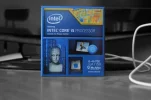
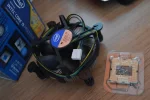
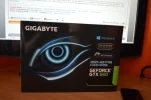
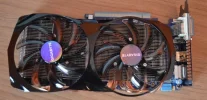
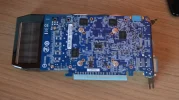
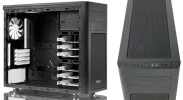
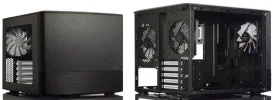
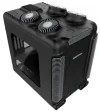
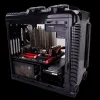
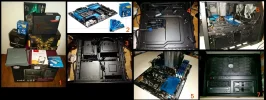
this is what I'm doing for fun these days ...

maxd

Forum & Complaints Team Lead
Staff member
Joined
Jan 20, 2004
Location
Pictland
04997a12-dbe6-4a46-a7d7-9d9f6c26201bwallpaper.webp

It seems that every decade or so I build a couple of computers for the office and/or personal use. I've spent the last 6 months (!) getting back up to speed on the DIY PC scene and that collage represents (more or less) the fruits of those labours. Finally closing in on the big event: purchase and assembly!

In case anyone cares for details:
You do not have permission to view link Log in or register now.


CPU:
You do not have permission to view link Log in or register now.
($210)
CPU Cooler:
You do not have permission to view link Log in or register now.
($60)
Motherboard:
You do not have permission to view link Log in or register now.
($140)
Memory:
You do not have permission to view link Log in or register now.
($195)
Storage:
You do not have permission to view link Log in or register now.
($170)
Storage:
You do not have permission to view link Log in or register now.
($75)
Video Card:
You do not have permission to view link Log in or register now.
($370)
Case:
You do not have permission to view link Log in or register now.
($85)
Power Supply:
You do not have permission to view link Log in or register now.
($85)

Total: US$1400 approx.

(Generated by PCPartPicker 2014-06-03 19:46 EDT-0400)

As it happens I'll probably get the GPU later, included it here for the heck of it. Most of our storage is going to be in a home NAS (next project!) hence the modest HDD in the case (for now). I'll be doing this in Euros and for the first time I can remember that's actually something of an advantage: CPU, memory and mobo prices are comparatively good in Europe these days so the total tab (sans GPU) will be something like €750ish.
 
Hmm, just realized from those photos that there may be an issue fitting that cooler into the case given the position/orientation of the mobo. NP, I'll postpone the cooler purchase until after I've done a rough assembly to see what space I actually have to work with. Might even go for some modest liquid cooling. :eyebrow-waggle:
 
Jeez, and I thought I was a big hero because I cleaned the cooling fan in my laptop!

I watched 3 or 4 youtube vids on how to do it, it took me 2 hours and I finished with 2 screws left over and one side of my keyboard about 2 mm higher than the rest.

Anyways, nice skill there Max and best of luck with that project!
 
... nice skill there Max and best of luck with that project!

Thanks. TBH it's not a difficult thing to do. The scene has evolved to be MUCH more user friendly than it used to be and the intertubes is full of fantastic tools and aids to make the whole business a Joe Average kind of project. With a healthy dose of "f*** it! I'm doing this!" and a bit of patience it's more like baking a lasagne than rocket science.

If anyone is tempted I'd suggest starting by watching a few "build" videos on YouTube -- those by PCPartPicker and LinusTechTips are among the most helpful -- and then using a site like pcpartpicker.com to help you select compatible components. Add a bit of research and a few questions on a forum or three and the chances are you'll be well on your way.

I've built everything from mini-car sized computers down to one the size of a paperback novel and I think it's no exaggeration to say that anyone can do it if they're serious about giving it a shot. That said, life is short and YMMV as to how worthwhile such an exercise would be for you. Personally I kind of love it so I have a habit of diving in and wallowing around in it for a while before I get down to work and actually build something. As you may have guessed. :rolleyes:
 
View attachment 47218

It seems that every decade or so I build a couple of computers for the office and/or personal use. I've spent the last 6 months (!) getting back up to speed on the DIY PC scene and that collage represents (more or less) the fruits of those labours. Finally closing in on the big event: purchase and assembly!

In case anyone cares for details:
You do not have permission to view link Log in or register now.


CPU:
You do not have permission to view link Log in or register now.
($210)
CPU Cooler:
You do not have permission to view link Log in or register now.
($60)
Motherboard:
You do not have permission to view link Log in or register now.
($140)
Memory:
You do not have permission to view link Log in or register now.
($195)
Storage:
You do not have permission to view link Log in or register now.
($170)
Storage:
You do not have permission to view link Log in or register now.
($75)
Video Card:
You do not have permission to view link Log in or register now.
($370)
Case:
You do not have permission to view link Log in or register now.
($85)
Power Supply:
You do not have permission to view link Log in or register now.
($85)

Total: US$1400 approx.

(Generated by PCPartPicker 2014-06-03 19:46 EDT-0400)

As it happens I'll probably get the GPU later, included it here for the heck of it. Most of our storage is going to be in a home NAS (next project!) hence the modest HDD in the case (for now). I'll be doing this in Euros and for the first time I can remember that's actually something of an advantage: CPU, memory and mobo prices are comparatively good in Europe these days so the total tab (sans GPU) will be something like €750ish.

It is interesting that you post this at this point in time as not 2 days ago I purchased this months Linux Format magazine and inside that they have an article on building your own Linux machine from scratch. I am actually thinking of using up this months gambling funds to start off such a project myself. What operating system(s) are you going to put on it?
 
What operating system(s) are you going to put on it?

Linux Mint has been my go-to OS for a couple years now so I reckon I'll start there. I usually do a little distro hopping for fun so there's that. Defo want to try out SteamOS when that becomes practical. Windoz has become a big PITA IMO so I'll probably only go there if there is a particular need to do so.

I'll have to check out that magazine you mentioned, sounds promising. :)
 
Nice spec!

I'm looking to build my own desktop soon in the next few months as I should finally have space to have one and would rather have a desktop than a laptop.

I quite like the look of the Corsair Obsidian cases. Bit pricey but the cooling options are supposed to be good.

Edit - answered above.
 
Linux Mint has been my go-to OS for a couple years now so I reckon I'll start there. I usually do a little distro hopping for fun so there's that. Defo want to try out SteamOS when that becomes practical. Windoz has become a big PITA IMO so I'll probably only go there if there is a particular need to do so.

I'll have to check out that magazine you mentioned, sounds promising. :)

Yeah Linux Mint is my current favourite although I am still running Ubuntu 12.04 as my main OS. Not too sure about Ubuntu 14.04 but will probably give it a try. The magazine does not give any serious detail about assembly, it really is more about providing specs for users based on their needs. Such as heavy gamer machine, standard desktop, media centre etc. I was hoping for more detail but it certainly has motivated me to get my hands dirty with building a machine from scratch.

I have never heard of SteamOS so I will take a look into that.

I am with you regarding Windows. I only use it for playing slots these days to be honest and that only because I have yet to find a casino download installation available for Linux.
 
View attachment 47218

It seems that every decade or so I build a couple of computers for the office and/or personal use. I've spent the last 6 months (!) getting back up to speed on the DIY PC scene and that collage represents (more or less) the fruits of those labours. Finally closing in on the big event: purchase and assembly!

In case anyone cares for details:
You do not have permission to view link Log in or register now.


CPU:
You do not have permission to view link Log in or register now.
($210)
CPU Cooler:
You do not have permission to view link Log in or register now.
($60)
Motherboard:
You do not have permission to view link Log in or register now.
($140)
Memory:
You do not have permission to view link Log in or register now.
($195)
Storage:
You do not have permission to view link Log in or register now.
($170)
Storage:
You do not have permission to view link Log in or register now.
($75)
Video Card:
You do not have permission to view link Log in or register now.
($370)
Case:
You do not have permission to view link Log in or register now.
($85)
Power Supply:
You do not have permission to view link Log in or register now.
($85)

Total: US$1400 approx.

(Generated by PCPartPicker 2014-06-03 19:46 EDT-0400)

As it happens I'll probably get the GPU later, included it here for the heck of it. Most of our storage is going to be in a home NAS (next project!) hence the modest HDD in the case (for now). I'll be doing this in Euros and for the first time I can remember that's actually something of an advantage: CPU, memory and mobo prices are comparatively good in Europe these days so the total tab (sans GPU) will be something like €750ish.

Nice :thumbsup:
I go about it another way, but it's in the line of the same interest for computers: I buy useless, cheap used pc's and recondition them, give them to my kid's or use them in my musicproduction. I do have a powerful mothership for my daily use, but I love getting the most out of pc's others would consider junk :)
 
I quite like the look of the Corsair Obsidian cases.

Absolutely! The Obsidian 250D was my #2 choice case-wise. Only drawback (for me) is that it's just that much larger than the Node 304 and one of my goals with this system was compact and trim. Still a great case, though somewhat limited in terms of tower coolers (not really a criticism since the 250D is designed to handle full sized water coolers straight out of the box).

I have never heard of SteamOS so I will take a look into that.

It's a Linux-based OS for running the Steam gaming platform. Still in beta but sounds very promising.

I buy useless, cheap used pc's and recondition them ....

That sounds pretty cool too. I did something like that with our old P4 system, which was what got me into Linux to begin with. Managed to squeeze another few years out of the old beast. It was the noise that finally had me pull the plug on it, sounded like a vacuum cleaner and STILL ran too hot (too many HDD, among other things). Good riddance though IMO, small and quiet is where I'm headed these days.
 
Last edited:
I could never put one together without losing my sanity. I just do not understand MOBO and processors enough.

Seeing your list and the total, reminded me... Our very first PC, customized configuration for all the zoom and power we could afford at the time, in the 80's, ordered from Gateway (I really hated it when they died/sold out to Acer) ... cost something like $1300. I can't remember how much RAM and such.... but I do know it was little megabytes... didn't think we'd ever need all that ... LOL

Looks like you've got a great build going there, Max! Show us the new baby when she's done. And build progress reports are appreciated, too. :)
 
Glad I noticed this thread.

I won some money at the weekend and feel the best way to spend this right now is to invest in a new computer. The only problem is, I know nothing about hardware. I want to build it myself though as I feel its something everyone should learn and you pay a lot extra to get a ready made PC.

I would like to spend around £500 but so far the i7 processor has taken up half that budget. As I plan to use Photoshop I've been told an i7 is the way to go.

I should probably start another thread as I have so many questions I and think I may be crazy to proceed with buying this equipment when I haven't fully reasearched.

Do you happen to know any sites that offer affordable bundles?
 
Hey Jory, NP posting here about this but I can split it off into a separate thread if you prefer, just let me know.

FWIW I can offer "a bit" of advice if you like:
  • if you are set on getting an i7 your budget is going to be pretty damn tight. Chances are you're going to have to make some compromises .. of course the real question is where?
    .
  • some key things you'll want to consider up front:
    .
    • do you care how big your system is, the actual physical size of it? You will save some money by going for a typical sized rig, that's an ATX/micro-ATX mobo and mid-to-full tower case. The upside is that you have lots of room to play around in there. The downside is .. they suck! Big, often noisy, space-hogs and cumbersome: I'm done with tower cases. Mini-ITX is a good format but you'll be paying a premium -- not necessarily prohibitive -- to go that route. Small DIY computer cases are nice but they can get pricey. And they are harder to work in, more care and planning is required. Little beauties though, size of a shoebox and up.
      .
    • more on cases: If you want a larger case the world is your oyster, everyone has them and they are readily available at competitive prices. If small is your game then my recommendation would be to look at Corsair, Silverstone, Fractal Design and Cooler Master for some of the best. Everyone else still seems to be trying to find their way around the smaller formats, IMO.
      .
    • last word on cases: don't just get the first case you come across because it is cheap, some of them are truly hideous from a design point of view and can be a nightmare to build in. Not to mention the quality of construction: nothing worse than spending a week or two putting a system together to find that it rattles and wheezes like an old jalopy. Excellent cases can be had for £40-50 so there's not much point in spending £30 on a POS that should never have seen the light of day. Needless to say, YMMV.
      .
    • do you care how much noise it makes? any old off-the-shelf stuff will probably do you if you don't. if you do care you're going to have to be VERY selective about your components and/or do after-market upgrades on case fans, CPU cooler, etc, to minimize the dBs. Passive cooling (no fans) is the holy grail of quiet computers but that would be very difficult and/or prohibitively expensive to accomplish with the type of system you're looking at. Quiet, but not silent, is a lot more within grasp. This is especially true if you are willing to spend a bit more money to get there.
      .
    • do you need a lot of storage (several Tb) or just a bit (<= 1Tb)? Lots of storage means a bigger case and higher storage costs, no way around that.
      .
    • are you going to game, do animation and/or heavy video processing? If yes then you should probably give some serious thought to a discrete graphics card (the Core processors do have onboard graphics but they're not industrial strength). This route will significantly impact your budgeting for other components. Or to put it another way: i7 + mid-range graphics card = £500+. Oops!
      .
    • if you know you don't need much storage and you're sure you won't need a discrete graphics card you should be able to do a very small, quiet and highly portable system. Seriously, it could be the size of a dictionary or smaller. Check out things like Zotac ZBox or the Intel NUC to get an idea where this could go. There are actually a good number of options in this area though they can be tricky to find. If this is your cup of tea drop me a PM because I was seriously considering this route at one point and (eventually) found a nice amount of good looking gear. (this ties into the next item re "barebone" systems)
      .
  • if you're not certain you want to do the whole deal yourself you might want to look at the various semi-built offerings available these days called "barebones". Usually these are cases with motherboard (mobo) and power supply (PSU) already in place and ready to go. You buy your CPU, memory, and storage separately and plug them in. Voila, you have a computer! You will pay a premium -- varies from small to exorbitant -- for these barebones systems but they usually do a nice job and that can save you a lot of hassle, not to mention a steep learning curve if you've never done this before.
    .
  • that said going full-bore DIY __can__ be a way to save money and optimize your end result. The problem is that it is VERY easy to make mistakes: you run the risk of buying things that aren't compatible, either physically or in operation, or just don't play well together and you have no idea why. Going barebones can be a fast-rack to avoiding MANY of those potential pitfalls, and save you A LOT of time teaching yourself what you'll need to know to DIY properly. Successful PC DIY is largely about smart shopping and patient trouble-shooting. Neither come particularly easy.
    .
  • if you're serious about building something yourself I STRONGLY recommend you spend time watching some Youtube videos on building your own computer. There are many and you will quickly know whether this is something you want to do to yourself or not. Vids by PCPartpicker, LinusTechTips, NCIX, Tek Syndicate, PCPer, and Hardware Canucks are among the best IMO. Search for "something something build" where "something" would be the name of the computer case you are interested in. To get you started here are a few I found interesting and helpful:
    You do not have permission to view link Log in or register now.
    ...
    You do not have permission to view link Log in or register now.
    ...
    You do not have permission to view link Log in or register now.
    . Keep in mind that if you found these about as exciting as watching paint peel then maybe the whole DIY thing might not be up your alley. Just saying.
    .
  • further on that, there are some great forums out there for PC builders. I've been using PCPartPicker.com, LinusTechTips, and overclocker.net and have answered many questions using these resources. Don't be afraid to register and post questions: like any forum there are some dickheads but most folks are there to help and are happy to do so. These guys have helped me avoid several stupid mistakes and have calmed many fears I had about component choices that I simply could not have answered on my own.
    .
  • as to processors it's not as simple as "if you photoshop then you need an i7". PCMag has a pretty good one-page on processor performance with the types of tasks you are looking at doing -- transcoding, etc -- and is as good a place as any to start:
    You do not have permission to view link Log in or register now.
    I quote the last bit from that article:
    Long story short: Intel Core i5 is made for mainstream users who care about performance, and Intel Core i7 is made for enthusiasts and high-end users. If you follow this mantra, you're likely going to find the system you need.
    My guess is that when they said "enthusiasts" here they mean hard-core gaming overclockers. That ain't me, nor you judging from your budget. My own research on this tells me that a quad-core i5 (most are dual core but there are a few quads, especially the newer i5s) may well be sufficient for your needs and could save you a non-trivial amount of cash for other things in your system. This is the route I am taking and IMO it may be the smart way for you to go too.
    .
  • seriously consider getting a SSD drive for your OS and programs. Everything I read says it's a cheap(ish) way to get a massive performance boost from your system in many (but not all) ways. If you can budget one in, do it!
    .
  • Photoshop and suchlike are memory hog applications: assuming that's not the only app you'll have open -- browsers, etc -- you should probably be looking at a mobo with Dual Channel memory and a total of 8gb of RAM. The good news is that's not prohibitively expensive, figure roughly £10 per gig of RAM.

I could go on with this but I think that'll get you well started. If you want more help feel free to ask. And do yourself a favour: go to PCPartPicker.com, register, and start playing with builds, even if you don't know much. Their system builder will help you choose compatible components and/or warn you about problems with your choices. In-fricken-valuable, IMHO.

Good luck, remember to cross-check everything, and use The Force: PC building is just as much Art as it is Science.

Regards,
Max, Casinomeister.com

PS. In case anyone is wondering, yes, I have been taking posting lessons from He Who Says "Boo" In 1000 Words. ;)
 
Last edited:
SSD is perhaps the single best upgrade anyone can buy for a PC these days, they're a cracking piece of kit. I'm a gamer myself so have always built/maintained my own systems, I haven't had to upgrade in 2 years though, the technology available is way ahead of the games being produced. The only real reason you'd need the top end spec of the marketplace these days is if you're a designer of some sort. The prices are also eye watering - the latest ATI card cost around £800 on launch day and it sold out in minutes.

Even peripherals are expensive - £60 for a decent mouse! I remember paying half that for my MS Explorer 3.0 - still the best shaped mouse ever made!
 
I can offer "a bit" of advice if you like

Hi Max, I just got home. I am so blown away by the amount of information you provided, it has really opened my eyes to the whole process as many of the questions you were asking me I realised I didn't know the answer to them myself.

First of all, Thank you. I have been stressing out so much about doing this project because I know i'm not educated enough to just go for it. It's all new to me and there is so much to learn.

My main reason for wanting to build is because on a £500 budget I can build a PC that may cost £700 at PC World. I am also a bit of a "geek" and it's only for financial reasons that I've never been in a position to consider building a new PC. I'll be using money I won so rather than donate it all back to the casino and be left feeling depressed, I want to make good use of it and invest in a nice PC that will be able to handle anything I throw at it.

i7 or i5? I'll be using Amazon to buy the parts unless you know of a better source. I've added and deleted the i7 to my basket so many times because I keep asking myself if it's necessary. A lot of the top gaming PC's use an i5 so I feel if I go with one, I can afford to buy a nice graphics card.
My current choice is:
Intel Core i5 4670K £165

I have found that processors and graphics card are very easy to learn about as there is no shortage of reviews, but when it comes to the motherboard, I can't tell a good one from a bad one. All I can do is check to make sure it's compatible. Based on the fact that I know it's compatible and "cheap" I've added this to my basket:
Gigabyte H81M-H £38

Moving on... memory. Everything I've read has told me you don't need any more than 8GB, but what kind? I'm not sure if the "brand" matters in this case as there seems to be so many. What I can't decide is if I should get 1x8GB so I can always upgrade, or 2x4GB. There is also the question of MHz. I don't know what the benefits are but I assume higher is better. Based on a complete lack of understanding, i've added this to my basket:
Corsair CMZ8GX3M2A1600C9 Vengeance 8GB (2x4GB) DDR3 1600 Mhz CL9 XMP £63

Graphics card. I want one that can handle modern games though it doesn't have to be amazing. Something that is clearly superior to what an Xbox 360 can do, and maybe rival an Xbox One. I play games a lot, but up till now it's always been on a console, If I can have a PC that can play any game I want, then I'll be really happy. I guess I should throw casinos in with that, perhaps the ability to capture content would be nice, BigWinPictures (youtube) style. This might be more about memory than graphics card though. Based on my preferences I've added this to my basket:
Gigabyte NVIDIA GTX660 2GB DDR5 PCI-E £136

Storage: We're up to around £400 now.. I feel SSD is the way to go for an OS but now the budget is limited to £100 for all remaining parts. I will take any SSD 128 GB as I can always add another storage device when money is available. Based on this I have added this to my basket:
Kingston Technology 120GB Solid State Drive 2.5-inch V300 SATA £50

Power Supply: I've had almost no time to review the benefits so based on the fact I know it's compatible with my graphics card, i've added this to my basket:
sair VS Series 450W Power Supply Unit £32

All this comes to £482, but I still need a case. I have not done any research at all on this but I will do this tonight. My God I do hope I'm not forgetting anything here. The products I've chosen are based on limited knowledge mainly from google searches.

I've added these items to my basket and I'm awaiting a Neteller bank transfer which should hit my account tonight at midnight (5th business day!) I plan to purchase these items then as I tend not to trust myself with money. When money sits in my account I always find a way to waste it. So long as I spend money on something useful then I'm happy.

I'm going to check out the websites you mentioned now but thought I would post this first to give you an idea of where i'm at. I don't have an income at the moment as I'm studying, I have one chance to get this right so to me this is a big deal.

Just one more thing, I plan to install Linux (ubuntu 14.04). I've been running ubuntu on my laptop which is 6 years old and I have never had a problem with it. It was released last month and I believe it should support all hardware I've selected. I may install windows alongside it for programs such as photoshop which I'm not sure if I can emulate in ubuntu. I just can't bring myself to buy windows, ubuntu is so lightweight that my outdated laptop still loads within 15 seconds and never have I had anything but a smooth experience. I am so excited to try ubuntu on a nice PC.

If you feel it's appropriate perhaps you can create a new thread, it's up to you. Once again, thank you for your help, it is greatly appreciated.

 
nice build project

i did a mini about 4 years ago i built it around
You do not have permission to view link Log in or register now.

was great until it became me slow pc now i just use it for a media box has 2 2tb hds only prob i have is with the dvd rom in ive got no sata ports left for another drive and im on my last 300 gig this unlimited net will be my undoing on another note these asus mini mobos are tough mine has 3 power surges hit it an the Bois automatic shut down the pc :) my mini case was nasty in summer and has now been retired as it had no space for the second 2tb drive a goo thing i think as it had heat issues last summer in Australia. does looks funny now small mobo in giant case you wont beat me next time summer...
 
First of all, Thank you. I have been stressing out so much about doing this project because I know i'm not educated enough to just go for it. It's all new to me and there is so much to learn.

Actually it looks to me like you know a lot more than you think you do. You've done a damn good job with that parts list of yours: mostly modest selections but you did it right where it counts, namely the CPU and graphics card.

FYI I've banged your build up in PCPartPicker:
You do not have permission to view link Log in or register now.
Added a nice sleek case from a good company and you're still under-budget! The site assumes you're willing to go to sources other than Amazon in order to get the best prices and since you're in the UK you have some good alternate-source options there.

A few comments on your gear:
  • your mobo is good but sparse: not a lot of connectivity there but assuming you don't normally have a bunch of crap attached to your PC -- like I do -- you should be fine. But don't expect a lot of future growth options out of this board: new devices are all going Sata3 and USB3 and your board is limited in this regard. That said, you can always use add-on boards in some of those spare PCI slots to extend your system's capabilities, should you feel the need arise.
    .
  • memory: your mobo is Dual Channel capable so you definitely want to go 2x4gb on your memory sticks. The short story is that the Dual Channel architecture allows your system to access two channels of memory -- two sticks -- simultaneously. You've got it so use it, especially since there is no significant price hit for doing so. Since you have no reason to believe you'll need to go beyond 8gb I think it's a no-brainer.
    .
  • graphics card: I hear that the GTX660s are good cards, pretty much the go-to card for mainstream gamers. TBH I haven't bought a GPU since 2001 so I don't know shit. You're obviously on the ball with this project so I'd say as long as the games you want to play are going to be happy with a 660 -- and I'm sure you've already checked that they are -- then I say rock on!
    .
  • the i5-4670 CPU: very highly rated and well respected processor. There's every reason to believe you should be totally pleased with it. FYI, if you want to dig into the whole processor thing a bit there are two handy sites I'd recommend having a look at.
    You do not have permission to view link Log in or register now.
    and
    You do not have permission to view link Log in or register now.
    . The first one has a massive database of all the CPUs in the known universe and allows you to quickly get an idea of where your CPU of choice sits in relation to other similar options (I use the
    You do not have permission to view link Log in or register now.
    page A LOT). It's a good way to sanity check your selections in terms of price, bang-for-the-buck, etc. They also do the same for GPUs, RAM, etc. CPUBoss is a handy little site for comparing one processor against another in a head-to-head comparison. It's a quick way to find out what you are gaining, or giving up, by choosing one processor over another. For instance, I see that if you spend an extra £10 you can get the 4670K which means you could get into over-clocking, not that your mobo will let you. And then you'd need to start looking at different cooling ... on and on it goes! :)
    .
  • a case for your goodies: frankly you've got an embarrassment of choices. If you drop your selections into PCPartPicker -- don't forget to select "UK" in the upper right drop-down box -- and then go to the Cases page and sort by price you'll see that you have something like 50 or more to choose from that will keep you within budget. As I've said some of the best cases made come from Fractal Design, Cooler Master, Corsair and Silverstone and there are affordable, in-budget options from at least three of those available to you. I'd suggest clicking through to a few of the options available to find something that suits you. I just happened to pick the Fractal Design case because I love the sleek, trim, practical approach they take to case design. Here is where Youtube can really be your friend: look for a build using a case that you like. You'd be surprised at how much you can learn by watching someone build into the very case you are going to be buying. It's a superb resource and every n00bie builder should have it on speed dial.
    .
  • I'm not familiar with the particular PSU you selected so I can't say anything about it specifically. What I can say is that PSUs seem to vary widely and wildly in terms of their quality and value. BE SURE you've done your research on a specific model before you hand over your cash. Rude surprises -- too noisy, prone to over-heating, bad sensitivity to power surges, etc -- are easy to come by when it comes to PSUs and who needs that? Research, research, research: boring, but better than needing to learn how to fix a f***ed-up system. Trust me on this, I've had flaky PSUs in the past and they can be a real pain.
    .
  • Linux: should be great! I started with Linux a few years ago when XP was killing my old P4, managed to squeeze a few extra years out of the old beast by changing over to Linux, first Ubuntu and finally Mint. When we bought our new i7-47xx laptop at Christmas I think I had Windoz off it and Mint on in less than an hour. As ever with Linux you may run into the odd driver problem but a little judicious research on the web will likely see that resolved quickly enough.

Other things to consider:
  • if I were building this box I would seriously consider putting a modest, conventional HDD in there. The reason is that having a standard HDD will give you archive space and, since you are Photoshopping, a place for things like your scratch space, etc. Basically a place to dump stuff that needn't and shouldn't clog up your SSD. Any old HDD is probably better than none here. If you're like me you've probably got an old one kicking around the house, or maybe something that's being under-used in another system.
    .
  • keep in mind that you'll probably be needing a few sundries like cables, connectors and such. Before you're done and ready to close up your shiny new box the chances are you'll have needed to spend £20-30 on such things.
    .
  • do you plan on messing around with your system from time to time? I always end up doing this and one of the favours I'm doing for myself this time around is to use reusable cable ties inside the case. I know, world's most boring subject, but if you're at all like me having a clean, tidy, well-wired system is just part of the job. That means you'll be using cable ties a fair amount. The traditional approach is to use those cheapo little zip ties but the problem with those is that (a) they are not re-usable, meaning that if you want to change something you have to cut the current tie off, throw it away and use another one to re-tie once you've made your changes, and (b) scrape your arm the wrong way against one of those cut-off ties and you'll be looking for your first-aid kit (been there ....). But reusable ties are basically just wee velcro strips and can used and reused many times, not to mention no nasty sharp edges. I am ridiculously pleased that I'll be using reusable cable ties this time around.
    .
  • fyi, there are reasons you may want to look beyond 8gb of RAM. One of the things I discovered while working on my system layout was that things like Wine, for instance, are heavily RAM based. So too stuff like Android development tools and emulators. This is all VM (virtual machine) stuff in Linux and they are happiest when they can load and run straight from RAM. As it happens certain versions of Linux will load into and run from RAM if they can, with the corresponding speed jump you'd expect from doing so. So yes, more than 8gb does have a place if you are into certain things. As it happens I will be so for me the 16gb route looked worthwhile.

All in all it looks to me like you are well on your way. This should be totally doable and you'll probably have a great time with it. I'm almost jealous, would love to be there to share the fun! :clap:
 
Last edited:
All in all it looks to me like you are well on your way. This should be totally doable and you'll probably have a great time with it. I'm almost jealous, would love to be there to share the fun! :clap:

When it comes time to build I can upload some photos here. I will be in no hurry as I want to make sure I do it 100% right first time around, even if that means only adding one component each day. It's better than rushing it and making one mistake. It may even inspire some other members to build their own PC as if I can do it, anyone can.

Looking back on the items I chose, I feel I may have not fully researched every item. 90% of my time was spent researching CPU, Graphics Card and the benefits of extra memory. These 3 items I feel 100% confident about and have now purchased. Now that I have made that commitment I can now focus on the motherboard, storage, power supply and case. I feel these are the areas I rushed. Based on way you say, I will now go back and review these. The most expensive items have now been purchased so I feel a little bit more relaxed now.

Ubuntu 14 was released last month and from what I understand, it should fully support the hardware. It should detect all my hardware and automatically install the correct drivers. I may install Windows anyway and have a dual boot. For something like Photoshop, I’m not sure if it can be reliably emulated on Linux. I imagine it being unstable but I've not had the chance to test it yet. I've always used Gimp as it's a great alternative and just like Linux, completely free. The great part about a dual boot is that Windows is always there if it's required.

Your advice has been amazing. I was going to post on another forum but I see no need to now. I hope you realised how much I appreciate your help. It has taken a lot of the pressure off me and now I'm beginning to feel like I'm enjoying the process. Thank you! :)
 
When it comes time to build I can upload some photos here.

Do that! It would be cool to see. We could start a Casinomeister Builders club! :) Maybe have our own section in Screenshots.

If you have any probs with Ubuntu -- no reason to believe you should, but just in case -- do consider giving Mint a spin. Damn good distro, imho.

One thing I might further suggest is to get your case ASAP and start loading stuff in (assuming you've decided on and received your mobo). Since you're taking your time with this it will give you a chance to start taking measurements, make sure you have the necessary PSU and GPU clearances, show you what kind of space you have to work with cooler-wise, etc. The point being to help you make informed purchases as you close in on the end of the project.

You're well on your way! :thumbsup:

PS. Keep in mind that you'll want an overclock enabled mobo if you want to push that CPU of yours (you did get the K and those are over-clock enabled out of the box). It' s usually pretty easy to identify these because on their spec sheet they'll show what speeds of RAM they can overclock to. I'm not advocating OC -- for instance I won't be -- but you've got the K-flavour CPU so the option is there.
 
@ BMW: You could also try and build in a better processor into your wife/partner? :p

This thread is indeed a good piece of info Max!
I personally feel the i-7 is a bit overrated, as are quad core processors in general, for now, i don't think most users benefit from quad cores and more then 8 gig of Ram at all, as there are only a handful of applications and operating systems that are common, which can make use of such power.

My tip for all starters would be the i-3, but even the top line dual cores will do, or the special stepping stone technology processors which i think were the inspiration for this whole line of newer multicores; the pentium Xeon, one of the most stable and reliable of all time i.m.o

What is really important for people with gaming needs, or the need to run several graphical application with high demand, is indeed the Vid-card, just make sure the Mobo and processor have the right sockets, and enough space in your case is also useful, since those newer Vid-cards are huge, and the more space you have between all hard working and heat generating apparatus, the better it is for your airflow, which shouldn't be underestimated nowadays:)

Good luck with the built @ both of you, and i would also love to see the progress/end product by way of pic's!
 
Got home to find this sitting at my front door in the rain. Thanks Royal Mail.

Graphics Card and Memory were both shipped a little later so they're expected on Monday. I feel like I should take the day off to make sure it's not left at my front door for anyone to take!
 

Attachments

  • i5.webp
    i5.webp
    32 KB · Views: 123
I told myself I would not open any boxes until it came time to build, but curiosity got the better of me..

I have not yet watched any videos on how to build as I don't want to overload on information. I have to do some exams this week and that is probably what I should be concentrating on right now, but this is a lot more fun. When I have all the components, then I can start to learn about building.

One thing I've noticed is that there was no Thermal Paste. I had been told by a few people that it should come with the CPU so I'm wondering if it's required as it does not even mention it in the manual, it just shows some diagrams on how to attach it to the mobo.
 

Attachments

  • i5OUT.webp
    i5OUT.webp
    46.6 KB · Views: 122
Absolutely, you want that paste! In my experience you risk degraded CPU performance due to overheating, and that's WITHOUT any sort of over-clocking or other large heat-generating activity.

I'm just repeating 2nd hand advice now but the word is that Arctic Cooling is a good brand, MX2 or MX4 are the flavours I've seen recommended. Good news is that it's only a few bucks a tube and that will be way more than you need. A wee smear of it should suffice. Again, the videos are a help here 'cause you can watch the experts do it.

But that should all wait until after your exams. Trust me, you don't want to mess that up, no matter how tempting the distractions. ;) I graduated 30 years ago and I still have final exam nightmares from time to time. Not exaggerating. :/

As far as my project goes I've completely torn my build list apart based on the realization that the mini-ITX mobo format might be overly restrictive for my long terms goals for this new box. Sigh, not much of a spectator sport I'm afraid.
 
That CPU fan looks a little....erm...small? I remember when the Zalman flowers first came out - it was like attaching a jet engine to your CPU!

100% on the paste, don't fire it up without any, the heatsink will effectively be useless without it.
 
Thanks Max :)

I'm surprised there was no mention of paste in the manual but it seems to me like its essential.

With the Graphics Card I imagine the case will be very warm. What is your opinion of "Air Flow" cases, if that's the correct term. I seen a few with 4 extra fans to help disperse heat. They seem ideal but maybe there are some down sides I'm not aware of.

I took the day off so I could wait on my card and memory. I might seem a little paranoid, but after they left the CPU in the rain, I don't think I could relax knowing these items may be left outside my house.

Is HDMI considered the modern way to connect to a TV/Monitor from PC? I'm still used to VGA which shows how long it's been since I upgraded. If my card is capable of displaying at around 4000x2000, does this mean I need to buy a monitor that is capable of that? What resolution should I look for in a monitor. I don’t think I can use my TV as it's 8 years old and listed as 720p. I hope I can still use it until I can afford a monitor as this was an expense I had not originally budgeted for.

Are there any real benefits of a sound card? If I wish to record audio from a microphone, would it be better quality to have a card rather than using on board?

Knowing this will help me decide what mobo to buy. I feel all I need is one at around £45 as it seems to have everything I need, but maybe there are some things I'm overlooking. In 3 years from now I want this PC to be still up to standard. If it's compatible with my GPU and CPU and includes USB3, then it seems like all I require. The mobo will be the next item I buy so I have plenty of time to review them.

Hopefully this card will arrive shortly. - I'm getting some funny looks from my cat as to why I keep looking out the window ("I didn't know you liked bird as much as me")

Thanks :)

That CPU fan looks a little....erm...small? I remember when the Zalman flowers first came out - it was like attaching a jet engine to your CPU!

100% on the paste, don't fire it up without any, the heatsink will effectively be useless without it.

That's what I thought too, but someone told me the new ones are more efficient. I don't know myself but I assume it must be correct - It does seems rather small.


_______

Just wanting to add that I decided to buy from Amazon even though they were a little bit more expensive. I felt more confident buying from a site I'm familiar with as they do have excellent customer service.

I mentioned to them about how I was unhappy with my good being left at the front door but how I understand it was royal mails fault and not theirs. Here is their reply:

Amazon said:
Hello,

I'm sorry to hear that you've received the item in that condition.

I understand that carrier left the item at your front door and it got soaked in the rain.

We take full responsibility for the delivery of our goods from start to finish and take complaints of this nature very seriously.

We’re constantly working with our carriers to improve the quality of our service, and your feedback has been forwarded to our transportation department.

We realise this incident reflects negatively upon Amazon.co.uk and the feedback you've provided will be used in reviewing the service provided by Royal Mail.

Please be informed that our ordering system automatically assigns the most appropriate carrier to your order when it’s ready to be sent.

Its depend upon the carrier to get the signature during the delivery. However, I will pass your message on regarding the signature for high value item to the appropriate department who will review your suggestion. Customer feedback such as yours helps us to continue improving the selection and service we provide. We appreciate the time you've taken to write to us.

In an effort to compensate for any inconvenience, I’ve requested a refund of GBP 17.00 to the payment card associated with your order, which should be processed within 2 to 3 business days. Please note, this doesn't include your bank’s processing time. You’ll see this amount credited on your next statement.

When the refund is completed, we'll send you an e-mail confirming the date, amount and payment details.

After receiving this confirmation e-mail, you can view the refund details on the Order Summary in Your Account (
You do not have permission to view link Log in or register now.
). Completed refunds will appear at the bottom of an individual order summary page.

Regarding the Graphics Card, I hope you'll receive the order in good condition today without any problem.

If you have any problem with your order place let us know by replaying to this email so that we'll assist you further.

We really appreciate your patience and understanding in this regard. We hope to see you again soon.

Warmest regards,
Priya S.

Now that's what I call great Customer Service!
 
What is your opinion of "Air Flow" cases, if that's the correct term. I seen a few with 4 extra fans to help disperse heat. They seem ideal but maybe there are some down sides I'm not aware of.

A cool, quiet system is one of my primary goals with my project. I'm willing to pay a little extra and sacrifice a little on other things in order to get it. That's what 10 years of sitting next to a vacuum cleaner with heat issues will do for you.

So, that said, cases designed for good air flow are very much on my "check 'em out" list. There a few things to keep in mind from what I can tell:
  • air flow means dust. Depending on your circumstances that can be a small problem or a big one. Either way do take it well into consideration. I look for filtered intakes, and preferably magnetic filters on the OUTSIDE of the case that can be easily removed, cleaned and replaced.
    .
  • at the risk of stating the dead obvious I suggest you look at pictures of your case to see where it can draw and vent air. There are 5 options: front, top, sides, bottom, and rear. What is the expected air flow of your case? Sometimes it's "front to back", sometimes "bottom to top". IMO straight flow lines are better than bent ones such as "front to top" but that's just ill-informed personal prejudice.
    .
  • look at the actual size of the air vents. Personal experience tells me that small vents create problems from Day One. This time I'm going for lots of grill space. Again, personal prejudice, but I'll be damned if I'm going to live with an air-choked system again. Way, Way, WAY too much hassle.
    .
  • to move air you need fans. Fans make noise -- generally the faster they spin the louder they are -- and they use power. The second item is simple enough, just make sure your PSU can handle them.
    .
  • the smaller the fan, the faster it has to spin to move a given volume of air and therefore the louder it is likely to be. In other words there is some advantage here to looking for big fans: run 'em slow and quiet. This is where looking at the fan specs for your prospective case is probably worthwhile. Personally I'm liking cases that will let me use 120mm or 140mm fans throughout, maybe even a big 180 or 200 as the main intake fan. I fully expect that I'll be replacing the default case fans with the largest, quietest after-market fans I can find. At least if they are large I'll have a chance of gaining some real benefit in going for the after-market fans.
    .
  • good to have sufficient fan sockets on your mobo to control the number of fans that you are running. otherwise you'll be using a manual setting and/or just letting them run at max (or whatever their default is).
    .
  • my understanding is that the fan and cooler that comes stock on your CPU should be sufficient to keep the CPU adequately cool IF you aren't doing any overclocking AND if you have adequate airflow through your case. In other words it's hard to predict these things in advance. My plan is to start with stock cooling and upgrade as necessary.
    .
  • in case you are thinking of doing the over-clocking thing at some point keep in mind that the best coolers for hot CPUs are generally watercoolers and watercoolers require a fair amount of space and actual vents on the case over which to mount them. I have no such plans initially but I do want to keep my options open re doing it at a later date. As such I am hoping to buy a case that will permit me to switch over to water-cooling fairly painlessly. Some cases clearly make this as a priority (BitFenix Prodigy, Hadron Air, Fractal Design Core series, Corsair Obsidians, for example), but MANY others do not. Keep in mind that these cases are not bargain-priced, but they aren't necessarily out of the question either. Some will be but you can buy a lot of case for $100 or less too so check them out. Educational if nothing else.
    .
  • if water cooling is not your thing then you'll probably be looking at some kind of tower cooler to keep your CPU running at safe temperatures, assuming you are ditching your stock cooler which are generally said to run less-efficiently and louder than good after-market alternatives. This will almost certainly be the case if you are (a) looking for the quietest cooling you can get and/or (b) getting into OC. NOT ALL CASES ARE CREATED EQUALLY in this regard. Look for "maximum cooler height" in your case specifications. That is a critical piece of info because it automatically allows, or disallows, 100s of prospective coolers in one fell stroke. Check out frostytech.com for heaps of info on coolers, their "5 Best" lists are poorly named but packed with great info.

Is HDMI considered the modern way to connect to a TV/Monitor from PC? ....

Sorry, I have no meaningful experience with these issues, I've only recently started using HDMI to connect our new laptop to my 20 monitor. Seems to work great but that, of course, doesn't help you much. My only info comes from looking at the Wikipedia pages for HDMI, DVI, DisplayPort, etc which I invite you to consult. I learned some things, maybe you'll learn what you need to.

Are there any real benefits of a sound card? If I wish to record audio from a microphone, would it be better quality to have a card rather than using on board?

From what I understand the answers would likely be "not necessarily" and "not necessarily". :) Apparently Realtek ALC1150 and Creative Core3D are good on-board sound solutions for Joe Average folks like me who want good sound from games and media, and will dabble in recording and editing but aren't expecting professional-grade results and/or workflow. Other Realtek audio solutions -- ALC892 etc -- seem to be thought less-well of.

In other words as far as I can tell good mobos with higher end built-in audio can be fine. Beyond that I can't say much since I have no personal experience.

When it comes to mobos I have to confess that I am pretty obsessive about what I'm getting for my pesos and what I'm not. On my last round of builds -- 10ish years ago-- I bought one "value" level board that was highly rated and another that was higher-end and similarly rated. The price difference was about 30% or less.
The value board turned out to be a poorly designed annoyance when it came to building/rebuilding my system and it died within a few years. That box got shoved out the door WAY too soon and felt like a waste of money. The other one is still running and has been a joy since Day One. My take-away from that experience has been that you have no idea how a supposedly respected card will play out as the years go by. Also, a well designed, feature-packed mobo can bring you pleasant surprises for years to come but I can think of no realistic way to ensure that happens.

This time around I'm considering my mobo to be the single most important piece of kit in my new system and I'm giving it the "appropriate" attention and budget. I'm going to get one that I really believe in, both in terms of it's ratings AND features. Will that make any difference in the long run? Who knows, but I won't be walking into this one ignorant and half-blind like I did last time.
 
Last edited:
I don't actually mind the sound of fans, in fact sometimes I leave a fan on when trying to sleep. It would be different though if it sounds like a jet taking off :D

I'm going to review everything you've said so far in this thread and then purchase the mobo. I don't mind going over budget if it means I'm buying something of greater value. If you are willing to suggest a mobo to buy based on my requirements, I would go ahead and purchase it. You have so much knowledge that whatever you suggested, I would feel confident to buy. Even if it takes me 6 weeks to buy the parts, I’m happy to wait so long as I am making the right choice and not rushing into it because I'm eager to get started building.

Relieved to say my card just arrived. I'm really excited about all this but for now I must put it away in a safe place. :)

I have a week to select a mobo so there's no rush. Thank you again for your help - I am continuously amazed by your level of knowledge and willingness to help. :)
 

Attachments

  • GFORCE1.webp
    GFORCE1.webp
    40.7 KB · Views: 178
  • GFORCE2.webp
    GFORCE2.webp
    56.6 KB · Views: 175
  • GFORCE3.webp
    GFORCE3.webp
    77.2 KB · Views: 173
Nice card! Sniff, sniff: smells like Witcher to me. :) (sorry, game withdrawal)

Re the mobo, you're thinking what, ATX or micro-ATX?

My advice is that unless you plan on throwing a bunch of extra cards in your system ATX is old school and over-kill. Scratch ATX.

My own recent (extensive!) research has shown that if you're thinking mini-ITX then you're (a) paying a premium for the small form factor and (b) you'll be trading off features no matter which way you turn. Without getting into a great long thing I'll say that for me the ASRock Z87E-ITX and the Asus Z87i-Deluxe looked like the sweet spots on the upper end of the mITX spectrum. I realize these may be totally out of your budget, I'm just saying what I found to be attractive.

FYI, I knew I wanted 4(min)xUSB3, 4(min)xSATA3, wifi or a slot to install wifi, with mSata or M.2 Sata highly desirable. I also have a preference for clean IO backplates without a bunch of crap I don't and won't need (VGA Dsub, DVI-D, LED readouts, etc). I also had the arbitrary restriction that I wanted the ATX power connector -- the big one, 24 pins -- on the opposite side of the mobo from the IO panel. This was dictated by the fact that I had decided on the the Fractal Design Node 304 case and that power connector placement would work best for cable routing in that case. This restriction automatically ruled out all MSI and most Gigabyte boards. So it goes.

Point being: if you're thinking mITX tell me what you feel you need to have on the board and I can probably suggest a board or three. Keep in mind this will be based on my research not on hands-on experience of which I have zero with these boards. You can also do this yourself by going to either Newegg.com or PCPartPicker.com and selecting your wants and needs from the filter lists in the appropriate mobo section (Intel, obviously). Invaluable tools to help you narrow the field.

If you're thinking micro-ATX as I now am then I don't have much to offer yet because I'm just starting to dig into that form factor as a serious consideration.
 
For those with ABSOLUTELY nothing better to do I thought I'd update the notes on my little project.

Turns out that as much as I love the idea of being as teensy as possible on this -- mini-ITX/cube (shoebox) -- and leaving the tower computer concept behind it probably isn't the smart way for me to go this time around. For a variety of reasons I now believe that micro-ATX and mini-tower is a better choice for me and my future plans:
  • µATX has more PCI slots and that could easily be an issue for me. eg wifi. Obviously it's fairly easy to get wifi on a mITX board but mPCIe is usually your only option and even the best mITX boards typically only have one on offer. Want to try PCI SSD? Or maybe add a few more USB or SATA ports? mITX is not your friend here but µATX certainly can be.
  • I do want to do NAS and a mini-tower --or equivalent -- is defo more suitable for such.
  • mITX components generally cost more; for the same money you can often enjoy a healthy upgrade if you're working with µATX.
  • a mini-tower is going to be easier to build in, swap components in and out, try new things, etc. Since fiddling about is something I often end up doing it's a pretty safe bet I will here too. In a mITX box this is going to be a constant PITA, not at all the case in a good µATX enclosure.

So yeah, these days I'm looking at µATX and a suitable case to build in. Case-wise I'm liking these:

Fractal Design Arc Mini R2
fd_arc_mini_r2-compositejpeg.webp


Fractal Design Node 804
fd_node_804-two-shot-scaled.webp

I've tried to scale the pics so they are shown in roughly correct size to one another. (the fans are a fair reference point, both 120mm Silent Series)

The Arc Mini R2 seems like a particularly well designed mini-tower with a lot of great reviews and pretty much unlimited flexibility in terms of configuring it as a server, gaming machine or general purpose workstation.

The Node 804 is a two-chamber "cube" design which is roughly what you'd get if you took a mid-tower case, sliced it in two and sandwiched the two halves together. Not clear in the pics but it has an IO panel + switchs on the right hand side of the front bezel. It also has a bit more drive space but loses the external bays which is something I'm not sure I'm ready to do.

Gamers seem to have dumped optical drives from their machines en masse but we still watch a lot of stuff on DVD so .. win some and lose some either way. For better or worse I still like the external bay option because even if you do ditch the ODD you can still put a card reader in there, additional ports, some new tech like Thunderbold or suchlike, etc. I like having the option of that flexibility, just in case.

To be fair the Node 804 does have the option of a slot-load ODD but (a) it would block 1/2 the air intake on the right chamber and (b) is it just me or does slot-loading still sound like a sucky idea? No eject button, etc etc. Meh.

Either box would handle my NAS project plans although the Node 804 seems marginally better suited to such in that you'd still have a lot of cooling options after you'd loaded the thing up with HDDs (that chamber behind the mobo has hangers for 8x3.5 HDDs). With the Arc Mini R2 you lose cooling options (up front) as you pack in the drives.

µATX boards are plentiful but these are look good assuming one is thinking of a gaming-style rig:
Asus Maximus VI Gene
Asus Gryphon Z87
Gigabyte GA-Z87MX-D3H

Also good-looking but not specifically game-ready boards include:
Asrock B85M Pro4
Asus H87M-E

All of the above have good-to-excellent SATA and USB connectivity, decent-or-better onboard sound solutions and good fan control since I'm still obsessed with minimizing sound issues.

Obviously I've up-ticked the overall project costs but it still comes in a good bit cheaper than mITX-rig + NAS box would if I built them separately. When you consider that the NAS is going to have something like $1000 worth of drives in it alone it seems sensible to choose a good home for the thing. Dropping a few extra tenners here and there on case and mobo pales in comparison.

Other things are still up in the air -- obviously -- but it seems like this µATX idea is solid, a better direction to be heading in.
 
Last edited:
I've been trying out a new site (compare.eu) and they offer a BB-friendly parts list, giving that a spin here now:

You do not have permission to view link Log in or register now.

You do not have permission to view link Log in or register now.

You do not have permission to view link Log in or register now.

You do not have permission to view link Log in or register now.

You do not have permission to view link Log in or register now.

You do not have permission to view link Log in or register now.

You do not have permission to view link Log in or register now.


(@ Jory : they've got a UK sister site if you are interested, skinflint.co.uk)

Re the choices above: I've been continuing my scatter-shot research and have discovered that Haswell processors really like fast memory ¹, hence the DDR3-2400. Also (somewhat) justifies the ridiculously capable Asus mobo though it begs for overclocking.

So why the gamer's mobo?
  • amazing connectivity: 8xSATA3, 8xUSB3, 8xUSB2, 1xM.2, etc.
  • great on-board sound.
  • able to drive the faster memory which Haswells really like ¹.
  • highly respected, said to be one of the best µATX boards available.
  • good price these days.

One would normally expect a K-series processor in this rig in order to be OC-ready but the truth is I'm not at all sure I want to go there. What I really want is a noticeably powerful processor that will shred most of the work I throw at it, wow me with its magnificence and be game-ready for when I decide to drop the cash on a good graphics card. The i7-4790 comes in at PassMark 10,000+ and that sounds pretty good to me, a healthy 25% better than anything I've used to date.

To step up to the 4790k is another €50-75 and I'm not sure I'd ever use it. And if I did it would mean dropping more money on big coolers, bigger PSU, etc etc. By the time I'm ready to do that I expect there'll be another generation of processors in the pipe -- possibly something REALLY different if the rumours are to be believed -- and why not just step up to those rather than dick around with all the OC paraphernalia? I'm into the PC gear-head thing to an extent but I don't think I want to make it a 24/7 lifestyle choice.

¹: eg "... running the stock [i7-4770k] CPU with DDR3-2133 or DDR3-2400 instead of DDR3-1600 actually gets you pretty close to the 4.5GHz overclock with DDR3-1600." (see
You do not have permission to view link Log in or register now.
)
 
Last edited:
Thanks Max - that looks like a really useful site!

I actually just placed an order on Amazon lastnight. I know they are slightly more expensive than if I was to shop around - but I'm happy to pay a little more just for the peace of mind in knowing that if there was any problem with the items, there would be no headaches in reporting this. When buying from a new website, you don't know what to expect in terms of service. Buying from a site I'm familiar with removes a little bit of stress.

I noticed that this morning my card had not yet been charged so I just sent them an email inquiring about this. They replied in 30 minutes with an apology and refunded all delivery charges and upgrade to express delivery for free. It wasn't even a complaint, just a question. I guess its this level of customer support I would never expect to find elsewhere. If building PCs was to become more of a hobby after this project, then I would check out some other sites as money would be more of a factor.

Regarding overclocking, I've not done much research on this, but a few people I've spoke to have recommended I avoid it in case I damage the processor. Once I get the PC built, then I'll do some proper research on this. It sometimes feels like the more I learn, the more I realise there is to learn.

A lot of the terminology is completely new to me so it can take a lot of time just to review one component. It will all be worth while though once everything is built and running smoothly. :)
 
Hey Jory, good to hear you get such great service from Amazon.co.uk. For me it's a totally different story, Amazon.fr has the world's shittiest service and I'm getting to the point where I'm avoiding them where possible. They still owe us €128 from _years_ ago when they totally botched an order on us and refused to take the goods back or refund us. They simply stopped replying when they decided they didn't like what we had to say. Wankers!

Anyway, life goes on. I'm still looking for the best source for gear here in France, not having much luck. Since Surcouf shut down there's basically nothing left but boutique shops -- FNAC doesn't count because their prices are typically ridiculous -- so online is my only real option for a decent selection of goods.

That said, check this out! I think I'm in love! It's the new micro-ATX/mini-ITX Steam Castle from DeepCool and I wantz!


deepcool-steam-castle-1.webp deepcool-steam-castle-2.webp deepcool-steam-castle-3.webp


Takes full-sized tower coolers, GPUs and PSUs. 6x3.5 HDD I've read though it looks more like 4x to me but whatever. Said to look promising for water cooling. Size is 420 mm x 390 mm x 260 mm (DxHxW) which is obviously fairly largish but with something like this I reckon "go big or go home" is the order of the day. IO panel is 2xUSB3 + 2xUSB2 + 2xAudio. Supposedly available in July for around €90/$120.

Rumour has it that the Steam Castle is basically a dress-up of the AeroCool Dead Silence (
You do not have permission to view link Log in or register now.
) which is no bad thing. Tom's said the DS is pretty respectable: Outdated URL (Invalid)

Assuming they haven't bungled anything I'm seriously considering this, especially since it's pretty much the only cube design my wife will tolerate. Once I kill the coloured LEDs which apparently shine through the smoke stacks on top I think I could look at that for the next few years, no problem. :D

Of course I'd have to get a good pair of aviator goggles to go with -- and a pair for the Mrs -- but I'm sure that could be arranged:

belushi-1941-trimmed.gif Tank-Girl-x290.webp
 
Last edited:
To my surprise I actually find myself looking at ATX motherboards. I had hoped to avoid that -- small being beautiful and all that -- but in the interests of satisfying my hardware tweaker urges it looks like I will probably want those ATX extras after all. I guess that's what happens when you want ALL of your toys in the pram at once. :rolleyes:

Anyway I STILL want to avoid a damn tower case so this is what I'm looking at now:

cooler-master-haf-xb-evo.webp cooler-master-haf-xb-evo-topview.webp

It's the Cooler Master HAF XB Evo, in case anyone wants to rush out and buy one for themselves. :p

I think it looks like a cross between a S.E.A.L. footlocker and a ghetto blaster. Whatever, seems it's got a lot of configuration options and you can fit pretty much any old piece of kit into it. And it lets the mobo sit flat which is something I seem to be hung up on having. My wife is finally sick of all my stupid questions and she's willing to put up with it as long as I STFU about it already! Sounds like "yes" to me. :D
 
Nice! :)

I just need mobo, case, and power supply. Tomorrow I will buy mobo but I am still really undecided. :S

It seems whoever I speak to has a different opinion. I guess I just want one that does the job...

Sometimes when people talk to me about computers it feels a bit like this:

Yeah, you should get the WWDX12-50 with MK75-4X symbiotic initiation equalisers with therapeutic overdrive enabled by default.

Then I go on Amazon and feel like this...

i-have-no-idea-what-im-doing-dog.jpg
 
I just need mobo, case, and power supply. Tomorrow I will buy mobo but I am still really undecided.

I hear ya! :)

I sometimes think the question of "which mobo do you like best?" is rather like being asked "which of your internal organs do you like best?" Uh, they all look good to me!

That said you can narrow the field a lot by making a bullet list of what you want from your board:
  • know how much you want to spend?
  • USB ports: lots or a few? USB3 or is USB2 good enough?
  • as above for SATA. in particular, how many SATA3?
  • need/want any of the fancy storage connections? eSata? mSata? M.2? Thunderbolt? SataExpress?
  • want to run fast memory or just vanilla 1600? Haswell chips like fast memory and 2400 barely costs more than 1600 these days.
  • will you be overclocking or no?
  • want wifi/bluetooth out-of-the-box or willing to deal with that issue later?
  • care about onboard switches (CMOS reset, on/off, etc)? status read-out? BIOS reset? Flash from USB? These may sound pointless but if you rebuild your system frequently these can be very handy indeed
  • are cooling fans a priority? how many? 3-pin (basically just on/off) or 4-pin (speed-controlled on-the-fly by the mobo)? water-cooling? if yes look for a CPU_OPT fan header.
  • your warranty: do you care? some have almost nothing and some are 5 years.

PCPartpicker.com can be really useful here. Start with a clean build (no components chosen), pick the items you already have, then go to the motherboard page where you'll only be shown boards that are compatible with the components you've chosen so far. Use the right side panel to tick off items that are important to you. The list is dynamically updated. Still out-to-sea on the boards being offered? Sort the list by Rating to get the most popular/best rated boards at the top. Sometimes you'll see a run-away leader, check into it.

Another useful approach, something of a variation on the PCPartpicker approach is Newegg. (forget the fact that it's US and you'll never actually shop there. you're there to use their info facilities, nothing more.) Go to the motherboard section of interest and look for "Power Search" at the top of the left-hand selection bar. In Power Search start selecting the items of importance to you and hit Search: you'll get a list of all mobos matching the criteria you've selected. List too long? make further selections (on the left) to narrow the field, or choose "Best Rating" in the "Sort By:" drop-down at the top of the list. Read the reviews on a board that interests you, you'll get a ton of useful info because Newegg sees A LOT of user traffic. List too short? Click off some of your selection criteria at the top of the list and the list will dynamically update to include whatever boards now fit the bill.

Or, if you have specific questions on a particular mobo (yes, I realize this may not come until later) try the forums at Overclock.net. You can get very pointed and specific information within hours because there are thousands of hardware geeks there who are really into this crap. Massive, MASSIVE resource!

Last but not least, ask here. I'm up to my eyeballs in mobo specs these days and may be able to help or point you in the right direction.

Motherboards may seem as dull as dust at first glance but in reality they are the beating heart of your system and deserve some real attention. Also, there is some logic to the feature-madness once you get into it. Press on, use Wikipedia to read up on features you're not familiar with. The fog will start to clear soon enough.

One bit of advice: ignore the stuff that doesn't seem to matter to you. If it is important you'll be forced to revisit the issue and you'll learn about it then. If it isn't important then you've just saved yourself some time. As long as you stick with the major mobo brands -- ASRock, Asus, Gigabyte and MSI -- the chances that you'll end up shooting yourself in the foot by making a really bad choice are very small.

Fear not, with the right tools you can make a decision -- or at least a very short list of candidates -- within a few days.
 
Ok, I know you guys are desperate for an update on my new rig. :rolleyes:

As you'll see things have changed a little (totally!). Started out with a mini-ITX breadbox, ended up with an ATX foot-locker. All great fun though! :D

project.hg_gear-for-build-collage_20140701_reduced.webp

Here's the parts list in case you want to rush out and do a "Max Build" for yourself. ;)

mobo: ASRock Z97 Extreme6
cpu: Intel Core i7-4790, 4x 3.60GHz
ram: G.Skill RipJawsZ DIMM kit 16GB, DDR3-2400, CL9
ssd: Crucial MX100 512GB, 2.5", SATA 6Gb/s
hdd: misc WD Greens from around the house
chassis: Cooler Master HAF XB Evo Cube
cpu cooler: Zalman CNPS9900 MAX (will have to check clearances before purchasing)
psu: Super Flower Leadex Gold 650W ATX

Most of the stuff is pretty reasonably priced. Splashing out for the cpu and ram in order to get some real juice from day one. Total tab will be about a grand, give or take, before the graphics card. That will have to wait until vacation time, or maybe the fall. It'll almost certainly be an EVGA GTX 770 of one flavour or another.
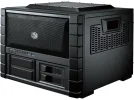
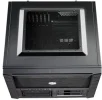
Should probably say a few words about the PSU. I know nobody has ever heard of Super Flower but its a real performer and best of all it is semi-passive, meaning the fans don't kick in until the load reaches 300w (I'll have to verify that 300 is the trigger point). In other words it is dead silent until the system starts cranking over. Since your average desktop spends about 95%+ of the time at idle I like the sound -- rather, the silence -- of that. Payed a fair bit more that I would have for your average PSU but if it delivers I'll be well pleased that I took this route.

Decided against a K-series processor (for over-clocking) because these days that looks pointless, 5% if you're lucky and you'll need to worry about extra cooling gear etc right from the get-go. Meh. Seems the hardcore overclockers can get some real OC results but that's with liquid nitrogen and such bollocks. Not me! This is a hobby not something I'm getting paid to do. I'd rather fiddle around with fast storage options and the like, hence the ridiculously loaded mobo (in terms of device interfaces, etc).

Probably replace the case fans once I get everything settled and decide it needs to be quieter. be quiet! Silent Wings 2 fans sound good, there are probably others just as suitable.

SSD is sitting here on my desk. Chassis, mobo and PSU are in the Post. Will order the rest soon as I find good sources/prices.

@ Jory: ended up avoiding Amazon for most of my stuff. Good to hear they do right by you, certainly not the case here across the channel. As I mentioned, Amazon service in France is shit served cold so that's not much of a draw for me. Prices are 10-15% better (for most things) elsewhere and I'm happy to support the independents.
 
Last edited:
More on that PSU. Yay! I knew you'd want that. ;)

Haven't been able to confirm that 300w is the switch-over point on the 650w PSU, the point where it drops out of (silent) passive-cooling state and actually turns the fan on. But I have stats on a 750w unit and there the switch-over happens at around 400w on a hot running test rig. 400w! That's incredible! It means that on your average desktop your PSU is going to be dead silent about 99.9% of the time, all while delivering virtually ripple-free power. And when the fan does kick in it's an unusually quiet to boot! Very low dB. You'd expect to pay a bundle for this, at least I would, yet the price is only about 15-20% higher than a regular PSU of a similar class.

Ya, ya, geek boy is getting excited over his power supply. Snicker if you must but who's going to be loving their new computer real soon. Eh? EH? :p
 
Nice build!
I got a similar one myself.

Intel Core i5-4690K, and 8GB RAM. Everything else is pretty much the same. Oh and an R4 Fractal case (it's monstrous!)

It's my first computer with an SSD and boy do I love it.

What do you do on your computer?
 
Fore that kind of money you are better of buying a Mac.. I went Mac and im never going back :thumbsup: (To a windows PC)
 
Fore that kind of money you are better of buying a Mac..

:lolup: I don't think so! Mac Pro is the only thing even roughly in the same ballpark and where I'm pitching camp these days something comparable to my (work in progress) rig would ring in at around €3000, at least twice the price of what mine will be once it's maxed out. I'll have a more powerful processor, twice the RAM (and high-speed to boot!), a kick-ass graphics card and I'll have saved €1500. Not to mention the fact that I'll have had the pleasure of building it myself ... and I won't be stuck with a Mac at the end of it. :p

No sir, I'm happy with the path I've chosen .. x1000. Thanks for the suggestion though, I learned that I'm building something at least equal to the best Mac available and at half the price. Good to know. :)

Nice build! ... What do you do on your computer?

Thanks, very much looking forward to the whole thing. I was this close to making exactly the same CPU+RAM choices you did, great to hear you've had good results with it! Same mobo, the ASRock Z97 Extreme6? I agonized over that one, could have easily gone to an Asus ROG or one of a few Gigabyte boards I liked. In the end it was all the play room on the Extreme6 that helped me decide. I'm a sucker for tech toys like Ultra M.2 and SATA-Express.

That said the basic components for my new system are on their way to me now. In my mind they are drifting together like pieces of a celestial jigsaw puzzle, and soon a bright new star will be born! :thumbsup: My wife says I may have a slightly inflated notion of what's about to happen here. :rolleyes: Meanwhile I've picked a name for it, but that'll have to wait until I have pictures to go with.

Fractal Designs cases are sweet! While I was going through the evolution of this project I looked first at mini-ITX build and then considered a micro-ATX system. In either case a Fractal Designs case would have been my box of choice, without a doubt. Node 304 for the former and Node 804 or Arc Mini R2 for the latter. I would have really enjoyed working with those cases, still might if needs be. I'd love to do a mini-ITX build in that 304.

What do we use it for? More like "what don't we use it for?". It'll be our main machine for the foreseeable future, we'll use it for pretty much everything: SOHO, HTPC, media center, web development, site management, Android development, podcast editing, and once we get a nice graphics card in there there will be a little gaming on the menu too (Skyrim, Witcher and Thief have my name written all over them!). I also want to build a linux-based home NAS and that will probably get prototyped in the new rig too, though I expect it'll spin off into a stand-alone NAS box once I get the bugs ironed out.
 
Last edited:
Okay, up and running on the new machine!

Prep and assembly went unbelievably smooth. Not a single snag or problem of any significance. Ended up short one wee little cable because of some mods I did straight away -- swapped out the stock case fans for some larger, quieter, CPU-controlled ones -- but that's pretty much it!

A few quick notes:
  • the case (Cooler Master HAF XB Evo) is a dream to work in! Top-grade build quality and very much designed for people like myself who like to tinker with their gear. Bloody marvelous really.
  • the PSU (Super Flower Leadex Gold 650w) is unreal: superbly designed, a joy to work with and the thing hasn't even bothered to power up the fan for cooling yet. Barely tepid to the touch.
  • very quiet! I'm sitting about 6 inches away from the front panel and it makes about as much noise as a couple people blowing on their tea. Quiet, polite people.
  • on the second boot it took me about 60s second to tweak the system to use the fast memory at speed (DDR3-2400). Easy-peasy.
  • Linux Mint 17 installed and ran without incident in less than 15 minutes, including (basic) updates.

Overall I'm blissfully happy with the results thus far. Couldn't have asked for more and it was _very_ pleasant assembling.

Took some pics along the way, will post soonish.
 
I was this close to making exactly the same CPU+RAM choices you did, great to hear you've had good results with it!
Hah, well I was just future-proofing with minimal budget so hopefully I'll get to OC it in due time.

Meanwhile I've picked a name for it, but that'll have to wait until I have pictures to go with.
I actually named my rig "TheMachine" :cool:

Fractal Designs cases are sweet! While I was going through the evolution of this project I looked first at mini-ITX build and then considered a micro-ATX system. In either case a Fractal Designs case would have been my box of choice, without a doubt. Node 304 for the former and Node 804 or Arc Mini R2 for the latter. I would have really enjoyed working with those cases, still might if needs be. I'd love to do a mini-ITX build in that 304.
I picked up the R4 half due to minimalist aesthetics and the other half is because the R4 is so quiet. The loudest thing I hear is the external fan on the front (goes by 3 settings and I can start hearing the fan at max speed 16V)

What do we use it for? More like "what don't we use it for?". It'll be our main machine for the foreseeable future, we'll use it for pretty much everything: SOHO, HTPC, media center, web development, site management, Android development, podcast editing, and once we get a nice graphics card in there there will be a little gaming on the menu too (Skyrim, Witcher and Thief have my name written all over them!). I also want to build a linux-based home NAS and that will probably get prototyped in the new rig too, though I expect it'll spin off into a stand-alone NAS box once I get the bugs ironed out.
Sounds interesting - keep me updated on the Linux thing. I don't know much about Linux but I've been learning some commands bit by bit.

Best of luck!
 
Okay! One last post (for now) to wrap things up: pictures!

I've called my lovely new machine The Blue Max. Not because I'm depressed but ... well, see image #2 in the collage below.

my-collage.webp

When I was doing my research I more or less settled on those components in pic #2 based on the specs, etc. They were the best gear that I thought would suit me and that I could afford. When I looked at them in the online shops I realized there was a serious blue thing happening, total coincidence! So be it: The Blue Max!

Ok, pic #1: the Blue Max family photo.**
Pic #2: why The Blue Max is called the Blue Max.
#3: started on the basic wiring.
#4: basic wiring done, waiting for the mobo.
#5: CPU, cooler and memory sticks all mounted on the mobo, ready to attach to the (removable) mobo plate and mount in the case.
#6: mobo in! Time to fire it up and see where we're at.
#7: up and running, everything loaded in. And a beautiful thing it is too. :D

If you're into more build details you should be able to read about it here, once they've approved my post:
You do not have permission to view link Log in or register now.


And there it is! Great rig, I love it!

** In case it's not obvious from my previous posts, this is what we're looking at in the photo:
Motherboard: ASRock Z97 Extreme6 (oopsy! not in the photo. :eek2:)
CPU: Intel Core i7-4790
RAM: G.Skill RipJawsZ DIMM kit 16GB, DDR3-2400, CL9-11-11-31
Boot drive: Crucial MX100 512GB SSD
Media drive: HGST Deskstar NAS 4TB 7200rpm
Cooler: be quiet! Shadow Rock Slim
Intake fans: 2x Noctua NF-P14s redux-1200 PWM 140mm
Case: Cooler Master HAF XB Evo Cube
Power Supply: Super Flower Leadex Gold 650W
 
Last edited:
Oh no we are all doomed :D


4th June 2014, 12:48 AM The Blue Max Funding Bill is passed.
The system goes on-line Today July 26th, 2014.
Human decisions are removed from strategic defense. The Blue Max begins to learn at a geometric rate.
It becomes self-aware at 2:14 a.m. Eastern time, July 27th.
In a panic, they try to pull the plug.

The Blue Max fights back.
 
:lolup:

In case anyone is wondering this is the real Blue Max (military version):

Blue_Max.webp

In spite of the French text it was "the German Kingdom of Prussia's highest order of merit. It was awarded strictly as a recognition of extraordinary personal achievement", founded in 1740 it was later largely interpreted to mean "exceptional contributions to the state". Both a military and civilian award its recipients have included (military) Otto von Bismarck, Manfred von Richthofen aka "The Reb Baron", Hermann Göring, Erwin Rommel, Alfred von Tirpitz and (civilian) Franz Liszt, Charles Darwin, William Thomson Lord Kelvin, Hermann Hesse, Thomas Mann, Henry Moore, Umberto Eco, Albert Einstein and Wim Wenders. The military version of Blue Max was retired in 1918, obviously the civilian order continues to this day.
 
Last edited:
Yeah, well, can't seem to leave this alone can I?

So it's probably clear to all that I'm crazy about my new machine and can't believe how smoothly it went and how stellar the results have been.

That said there are a few things on the flip side, things I may have cocked up and/or am having (idle) second thoughts about. Since I'm waiting for an upload to finish I thought I might multi-task a little -- something the BlueMax is wonderfully capable of by the by -- and post those thoughts here for the edification of the one or two souls that might still give two shits about this whole geeky business:

- CPU: the i7-4790 is MASSIVE overkill for what we typically do on this machine. TBH the only time I've seen it tick up over 10% is when I was running some totally synthetic benchmarks. Normally the thing idles along at < 2%. So yeah, probably serioulsy over-spent on the CPU. Not that it's a loss or anything, we may tax it more with some of the stuff we do in the future. And it should be more than sufficient for our needs for years to come but still, just saying.

- mobo: couple of things have come to light which might be worth mentioning. #1: fan control. Turns out there are precious few 4-pin fan sockets on the board -- CPU + 1 -- and that seems to have some impact on my quest for total control in terms of the noise coming from the box. 4-pin controls are for Pulse Width Modulation fans, PWM for short, and those are controllable and programmable from the motherboard and CPU. If you go with 3-pin controls the only way the CPU can control them is by ramping up and down the voltage. End results seems to be noisier than PWM-controller fans where the CPU/Motherboard is actually controlling the speed, not the voltage. In other words in a big case like I've got more PWM sockets is better. I ended up running the two intake fans off of a Y-cable aka splitter but that's not entirely an ideal solution. Not a huge deal either but given the choice ....

- mobo issue #2: one of the other mobos I had seriously considered was the Asus Z97 Sabertooth Mark 1 and one of the features it offered was basically anti-dust control down at the board level. The board is largely covered with a plate and they've got a couple of on-board fans that create a bit of positive air pressure on the board and that could be very effective against dust accumulation which is a reality I've had to deal with for years. Might've been nice to have. As it is I'm going to have to mod my case to add some dust proofing because the case has more holes in it than a masochist at a piercing party.

- Just so happens that Sabertooth board has a lot more of those PWN fan sockets I mentioned AND it has a very promising sounding array of temperature monitoring sensors scattered around the board. So what? So quiet that's what. If your board is cool you can dial your fans back on the fly and that can cut WAY back on the fan noise. Would've been nice to fool around with but my board doesn't really go there. That said my board has one thing I did want -- a stupid array of connectivity options -- and what the hell, that's play time for a hardware fanboy like me. You pay your money and you take the ride eh?

- fans: turns out there is a thing about fans called "static pressure" which seems to translate roughly into the fan's ability to suck air under adverse conditions, namely behind grills and/or dust-proofing screens. The ones I got are okay for now but as soon as I add the dust-proofing screens they are very likely going to be choked off and unable to pull much air through the filters. So, may end up getting some new fans in order to cope. Live and learn.

- audio: seems Linux hasn't quite caught up to the recent audio hardware (Realtek ALC1150) and so I did have some problems getting it to a listenable state. Turned out there was a fairly basic tweak to a system file that helped enormously but it still seems tetchy to me and requires a lot of fiddling around. Couldn't be helped I guess but still, one of the hits you take by going Linux instead of Windoz. As it ever was though, TBH.

- the PSU: beautiful piece of kit and a dream to work with but I've found out that a muscular graphics card (GPU) can draw as much as 300w or more. Since my system supposedly pulls around 200w now when all is up and running full tilt that doesn't leave a huge amount of head-room once I drop the GPU in. And dual boards is basically out of the question. That's the theory anyway. Something I maybe should have given more thought to up front. TBH I doubt it's going to be a real problem for my needs but it wouldn't have been much more expense to go to a 750w PSU and buy some serious wiggle room.

Anyway, upload finished a while ago so back to it. :)
 

Users who are viewing this thread

Accredited Casinos

Read about our rating system and how it's done.
Back
Top