Remember my new PC?

Joined
May 13, 2014
Location
Wolverhampton
Hi All

Unsure if anyone recalls my "Time for a new PC" thread from a few years back, long story short, members, mods and reps helped me decide within a budget how to go about building a new speedy(ish) pc which we successfully did, thanks again to all who input etc!

Well believe it or not (according to my aching memory) that is now over 3 years ago - No amount of searches can bring up my old thread either :confused:

My query please this time around (yes I don't care if I look useless :p) is this.

The cooling fan over the processor (About a 2.5" square fan) is going full pelt pretty much each time PC is on, whether its doing something 'hectic' or pretty much just checking e-mail. The noise is now driving me bat shit, hence this thread!!!

Took side panel off and teeth on fan seen to be "chewed away" which suggests its not cooling and why it is on all the time maybe???

My queries are...

Is this an easy fix (and it also has to be ultra cheap right now)

Can I disconnect it and if yes, do I risk damaging my PC, what else happens

Sorry to be a pain but I am clueless with this sort of stuff.

The exact specs are in my old thread which as I say I cannot find :oops:

Appreciate any pointers please

Jon
 
yes its an easy fix, put volume louder on your headset.
 
Well believe it or not (according to my aching memory) that is now over 3 years ago - No amount of searches can bring up my old thread either :confused:
you can always try here too >

th.webp


that aside, GL with your query :thumbsup:
 
To be fair, a fan going mental is either due to software creating a high cpu load, hence the fan starts increasing speed. Power issues to fan or motherboard issues. If its motherboards it wont be an easy fix! High cpu load could be an easy fix as most likely a process running on pc is causing it. Any fan can be replaces easily, if the fan is malfunctioning.

Most of the time ive encountered a mental fan is due to software.

check the processes > task manager > processes, anything hitting a cpu load of 50% or more? Kill that process.

After try to find out what it does :)
 
My fan usually goes crazy because the pc is overheating (too close to the wall), or jammed with cat hair
You can also turn off any unecessary programs running in the background (disable)

There's a couple techs on staff worth flagging
 
Not got a clue about PC'S.

But yet again Jon i will post your thread that took me 10 seconds to find.

Time for a new PC!

I typed that mate in several areas of the forum but all it brought up (*ducks*) was the North Korea thread!!!! :eek: - seriously.
 
Thanks all

I REALLY don't know what I am doing....Am I on the right lines in this area ??

View attachment 135334

Right click on that black area between icons on the left and clock on the right. Then choose task manager. The process should be displayed right away. Look for the CPU load %'s.
 
I typed that mate in several areas of the forum but all it brought up (*ducks*) was the North Korea thread!!!! :eek: - seriously.

i just typed computer in the search box and your name for member.

Hit search and opened up 2 pages at bottom of first page was your threads on new pc.

Just for the next time you need it:laugh:
 
Sounds maybe stupid and maybe you have already done it, but have you tried cleaning it with compressed air? (Don't know if thats the correct term in English? Sprayduster? IdK, Air in a can :D)

Has helped me with my old notebook and my Playstation. You would be suprised how many dust is in there. If you have never done it before I recommend to do it outside or you have to clean the whole room.
 
Sounds maybe stupid and maybe you have already done it, but have you tried cleaning it with compressed air? (Don't know if thats the correct term in English? Sprayduster? IdK, Air in a can :D)

Has helped me with my old notebook and my Playstation. You would be suprised how many dust is in there. If you have never done it before I recommend to do it outside or you have to clean the whole room.

I've had the hoover and cotton wool buds in there, lasted about 24h.

As I close processes in task manager, they are auto restarting also?
 
Can I disconnect it and if yes, do I risk damaging my PC, what else happens

You can, but you'd need to monitor how hot your PC gets with it. Too hot, and most likely will result in permanent damage.

I think I found the processes. Trouble is Which can I safely end please?

View attachment 135335

Sort them out by clicking CPU to see if something is hogging the processor.
 
Sounds maybe stupid and maybe you have already done it, but have you tried cleaning it with compressed air? (Don't know if thats the correct term in English? Sprayduster? IdK, Air in a can :D)
yup
 
Anyway Jon hope you fix it.

But i have done my good deed for the day and as i have no clue about computers this thread will bore me.

You need any threads located you will find me over in the North Korea thread lurking. Think that will get exciting till it gets locked.:laugh:
 
other small tips
surprised what sometimes a whack on the side or reboot does and ya can just turn it off a few hrs, give it a rest; a defrag, tune up, virus/malware-wash and CClean and driver update never hurt either
 
Yes mate 8GB ram and a decent processor - nothing really hogging it from what I can see either so unsure as to whats causing it.

It could be that it simply gets too hot. You might need a new CPU fan.

You should run those actions Dino suggested and download HWMonitor for example (so you can see how hot your CPU and motherboard actually are running).
 
Yes mate 8GB ram and a decent processor - nothing really hogging it from what I can see either so unsure as to whats causing it.

You're still on W7/8?

Did you check what processes get started at boot? Some (usually 3rd party) programs may create problems.
 
It could be that it simply gets too hot. You might need a new CPU fan.

You should run those actions Dino suggested and download HWMonitor for example (so you can see how hot your CPU and motherboard actually are running).

You've got enough money with all that over billing - just buy the guy a new PC?

Sorry, need to put that in terms you relate to - give the geezer one weeks beer money.
 
You're still on W7/8?

Did you check what processes get started at boot? Some (usually 3rd party) programs have a tendency to create problems.

win 7/8 yes

herein lies the problem, anything simple sounding, I am useless (would any believe I did HND computer science at Uni lol)

The weeks beer money sounds like the way forward :p :p but failing that, I will look on amazon/ebay if there is a fan for about £5-£10 - can't / won't risk anymore as skint right now and in case it doesn't solve the issue :)

cheers!
 
win 7/8 yes

herein lies the problem, anything simple sounding, I am useless (would any believe I did HND computer science at Uni lol)

The weeks beer money sounds like the way forward :p :p but failing that, I will look on amazon/ebay if there is a fan for about £5-£10 - can't / won't risk anymore as skint right now and in case it doesn't solve the issue :)

cheers!

 
If the fan is knackered, i.e. the blades, replace immediately or you'll cook the CPU. The processor is probably not overloaded at all, but the fan is trying to cool it and it can't - don't forget, the CPU will get very hot even under normal load IF there's inadequate cooling. So a knackered fan and hot weather = aggro. Regardless of heavy usage, as proper cooling should cope with all loads.

While you're at it, check the condition of any heat transfer paste if yours has it, i.e. the white layer between he CPU and where the fan blows.
 
I think I found the processes. Trouble is Which can I safely end please?

View attachment 135335
This looks very weird, the cpu's on 00

You can filter there, from high to low, please do and check if any show a value above or below 00, if not - i think its a virus. Not corona, just a computer virus.

If all values are 00 there, I can't think of anything else to be fair. Can't imagine a hardware problem causes those values, but maybe one can correct me.
 
This looks very weird, the cpu's on 00

You can filter there, from high to low, please do and check if any show a value above or below 00, if not - i think its a virus. Not corona, just a computer virus.

If all values are 00 there, I can't think of anything else to be fair. Can't imagine a hardware problem causes those values, but maybe one can correct me.
I think someone has been watching too much porn then in all honesty...

:cool:
 
Do the following steps Jon:

- Download free CCleaner: Do a full clean:
You do not have permission to view link Log in or register now.


- Download free Malwarebytes and run a full scan:
You do not have permission to view link Log in or register now.


- Go to Settings/Apps/Start-up: Look at the programs that start up when you switch on the PC. Quite a few apps/programs you install in a lifetime of a PC start running when you switch on, even if you don't use them. Turn those off you do not need. You can always manually start them.

1593046558292.png


If nothing helps, replace fan! :)

-
 
Last edited:
I found antivirus programs can be a resource hog, if it's recent it could be a software update that has triggered a problem, so if possible you might be able to go back to a system restore point before the fan noise started.

The other thing that might help with the diagnostics is booting [switching on and pressing f8 continually] into safe mode, the computer will pause and then ask do you wish to start in safe mode. This then loads the minimum of programs; but then from memory it doesn't load your internet setup automatically so could be a pain if like me you adopt a wing and a prayer approach to computer problems.

I just randomly press my mouse button on various icons, and try not to get lost or change any settings without making a note of it :oops: :laugh:
 
Do the following steps Jon:

- Download free CCleaner: Do a full clean:
You do not have permission to view link Log in or register now.


- Download free Malwarebytes and run a full scan:
You do not have permission to view link Log in or register now.


- Go to Settings/Apps/Start-up: Look at the programs that start up when you switch on the PC. Quite a few apps/programs you install in a lifetime of a PC start running when you switch on, even if you don't use them. Turn those off you do not need. You can always manually start them.

View attachment 135349

If nothing helps, replace fan! :)

-

Jon, if you download Malwarebytes, take only the Virus Scan portion. Same for CCleaner, do not take the toolbar or whatever else they might offer by now.

As for APPS, from your screenshot I see you have Dropbox starting up when you switch on the PC. That is not needed and takes a good chunk of your RAM. Pretty sure there will be others.
 
Last edited:
There are few more which IMO are not needed or look strange. They do no harm, but neither help the performance of your PC.

You can always google: Do I need xxx.exe running? to find the answer.

Was the fan running with the noise when you took the screenshot? IF yes, it is most probably the fan as you have the CPU at 0% and only 74 processes running.


1593064433448.png


Just as a comparison from my current status and it doesn't make a single sound.

1593064587338.png
 
Last edited:
Upgrade to windows 10 ASAP, why would someone be using 7-8 nowadays? Remember using 7 on my old laptop. Was buggy and slow, 10 made everything MUCH better/faster/smoother.

Also, in 99% of the cases, decent laptop is better than a PC. PC times are over, times are changing.
 
Upgrade to windows 10 ASAP, why would someone be using 7-8 nowadays? Remember using 7 on my old laptop. Was buggy and slow, 10 made everything MUCH better/faster/smoother.

Also, in 99% of the cases, decent laptop is better than a PC. PC times are over, times are changing.

I have a laptop running Windows 7 as a lot of car diagnostic software won't work on Windows 10, not even if you create a VM running Win 7.
 
Hi Jono

You need to eliminate causes of the problem, fans are very cheap to buy, if you know what you want and or
possibly post a pic I can get one sent to you from amazon it the next couple of days,just happy to help out a fellow meister.At least if the problem is something else,the computer can cook quietly.
 
My old Dell XPS circa 2008 still has a bare bones install of Windows 7 on it. No way would I upgrade it, if it wasn't in storage. For Microsoft, Windows 7 is actually a decent O/S for the time and also light years ahead of Vista which was %$%£$ - I saw the light though and turned to Apple a few years ago, haven't looked back :D
 
Depending on where the PC is located and in this weather, the fan has to working at 100% efficiency,
like most electronics,PC,s can suffer from thermal runaway where the increased heat can cause the chips
to have to work harder due to increased resistance, creating more heat.Sure a new fan is the best first move,
may be something else but easiest the change the most obvious cause.

Ps you really shouldnt be trying to find out if you can run 10 Bonanzas at once :)
 
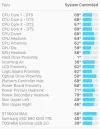
Decent monitoring software is also worth investing in. I have iStats Menu installed on my Macs. Have the temp of the Hard Drives in the toolbar and drop down temps of the other hardware.
 

Attachments

  • Screen Shot 2020-06-25 at 10.59.13.webp
    Screen Shot 2020-06-25 at 10.59.13.webp
    1.1 KB · Views: 54
  • Screen Shot 2020-06-25 at 10.58.03.webp
    Screen Shot 2020-06-25 at 10.58.03.webp
    18.5 KB · Views: 58

Users who are viewing this thread

Accredited Casinos

Read about our rating system and how it's done.
Back
Top