external image

Forum Glitches

Roanan

Banned User - abusive flamming - misogynist
Joined
Oct 6, 2009
Location
Langley, BC...in Canada, eh?
Seeing how the forum seems to be stabilizing, I thought a thread where we can point out any glitches that we are coming across.

So far mine are:

Error 1:

Clicking accredited casinos from the main page links to casinomeister.com/accredited_casinos.php and is successful, but clicking it from the forum links to casinomeister.com/casinos.php and gives the error:

Not Found

The requested URL /casinos.php was not found on this server.

Additionally, a 404 Not Found error was encountered while trying to use an ErrorDocument to handle the request.


Error 2:

Clicking I-Gaming Forum Reps from the forum links to casinomeister.com/forums/showroster.php and yields the error:

Roanan, you do not have permission to access this page. This could be due to one of several reasons:

Your user account may not have sufficient privileges to access this page. Are you trying to edit someone else's post, access administrative features or some other privileged system?
If you are trying to post, the administrator may have disabled your account, or it may be awaiting activation.


Error 3:

If I try to click the English Harbour rep from the accredited list it links to casinomeister.com/forums/members/sabrinacoins.html and yields the same error as in #1
 
New glitch:

The main forum page (casinomeister.com/forums/) yields the errors:

Fatal error: Call to undefined function mysqli_init() in /home/casinome/public_html/forums/includes/class_core.php on line 1128

or

Warning: include(/home/casinome/public_html/forums/includes/config.php) [function.include]: failed to open stream: No such file or directory in /home/casinome/public_html/forums/includes/class_core.php on line 2567

Warning: include() [function.include]: Failed opening '/home/casinome/public_html/forums/includes/config.php' for inclusion (include_path='.:/usr/lib/php:/usr/local/lib/php') in /home/casinome/public_html/forums/includes/class_core.php on line 2567


Configuration: includes/config.php does not exist. Please fill out the data in config.php.new and rename it to config.php
 
I don't see it either, temporarily AWOL methinks.
 
With moving to the new server, there is a conflict somewhere which is causing the plugins to disengage. I need to access the backend to determine which plugin is causing the problem. Thus no Thanks, PAB form, WTG buttons, right side info column, etc.

I should have this done sometime today.
 
Seems like now it works :thumbsup:

Not quite....there's still one glitch remaining:

I've noticed that the forum now uses numbers for everything instead of the titles or names as it used to.

The accredited casinos page, however still has the old links to the forum reps.

I'm about to send a message to the English Harbour rep.

The link for her is now casinomeister.com/forums/member.php?u=16011
but if I click 'forum rep' from the accredited list it sends me to the old link instead. casinomeister.com/forums/members/sabrinacoins.html
 
I keep getting failed errors when trying to download winning screenshots and I don't know how to do the second option that requires a URL, (don't know what that is) :o.
 
WAAAAAAAAAAA

Okay since CM came back up.....i cant get on it from work???? i get the diagnose connection problem msg.....:mad:.......this is what i do all day atwork....I dont actually know how to do my job....i just look busy reading CM all day:D.....my work cannot block sites either....i dont know whats wrong.....any ideas?:(
 
... I don't know how to do the second option that requires a URL, (don't know what that is)

FYI, look in your browser's address bar and you'll see this:

Code:
http://www.casinomeister.com/forums/showthread.php?p=354386#post354386

That's the URL of this page. 'URL' usually just means the address of a page on the internet. Easy peasy. :D
 
"my documents?"

Sorry, not following you. What 'documents' are you thinking of?
 
My Documents is a task folder programmed in to the computer, separate from the internet stuff. This is where all my folders are kept, like my ebay pictures, art pictures, family and so on. Before the problem here I was able to upload my pics from this task file, but now get the error of the upload failed.
The second choice for uploading is to use the URL, but didn't know if this pulls pics from my documents.
 
Oh, 'My Documents'! You're on a Windows computer, yes?

No, URLs are (generally speaking) for pages on the internet, not stuff on your computer. The idea is that with the URL people can find the page on the internet.

Technically speaking if you can show a thing in your browser you will have a URL for it, but stuff local to your computer is generally not accessible to people on the web so the 'URL' for those things isn't much use to anyone.

Stuff on your computer are generally identified by path and file names, different thing from the URL.
 
This is an error I get now trying to add pics to my album.

vBulletin Message
Some of the pictures you attempted to upload failed. The pictures that failed are:
me 710.jpg
me 715.jpg
me 720.jpg
To receive a more detailed error message, upload only one picture at a time.


However Bryan said he would be working on it, so I will wait and hope it gets back to normal soon. Thanks Maxd for helping too :)
 
Mavin, you can also find a free image hosting site and upload any pics you have there ie. storing them on an external server (rather than on your computer). This then generates a URL for you...some even provide html links, and links for posting on different forum formats.

I'd suggest one or two free image hosting sites, but I'm drawing a complete blank right now, lol. I used one years ago that was excellent. I paid for my account, but even the free accounts gave quite a bit of storage, and options. It'll come to me...give me a day (or three). :laugh:
 
Mavin, you can also find a free image hosting site and upload any pics you have there ie. storing them on an external server (rather than on your computer). This then generates a URL for you...some even provide html links, and links for posting on different forum formats.

I'd suggest one or two free image hosting sites, but I'm drawing a complete blank right now, lol. I used one years ago that was excellent. I paid for my account, but even the free accounts gave quite a bit of storage, and options. It'll come to me...give me a day (or three). :laugh:

I believe 1 is www.photobucket.com


Cindy
 
Out of interest does the forum now seem more responsive ie. quicker than it was prior to the downtime caused by the DDoS on Sunday?

It seems from my perspective considerably faster.

There is also an issue with email notifications from the forum - for instance upon being sent a private message. Bryan is aware of that too and on the case. :)
 
Guys I need your help in testing.

Email notifications from the forum for private messages, new user registrations etc have not been working.

Can a couple of you, send me some test pm's - I want to see that I now get the email notifications.

Cheers!

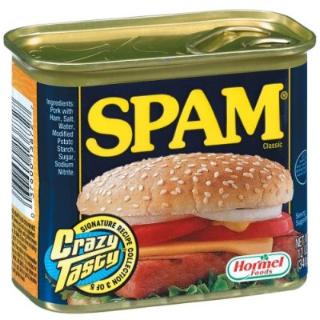
I tried to send you some SPAM, but the link screwed up, so here ya go.:D

spam.jpg
 
What is all that shit? Never heard of most of it.

As to the broken notifications, anyone getting notifications on forum postings? I used to, not any more.
 
I will look into the suggestion that Pina and Jas made for my pics from another site, but hate to have to make a change.
I have also been trying to upload pictures to my album but am now not able to where before there was no problem.
Is this still in glitch mode or is the problem maybe with a setting on my pc now?

One of the things I am seeing now is the box with the red x in it on the Manage Attachments page where I was previously able to upload screenshots. Am I possibly having a problem with my Active X or something?

I am wondering if others are having problems now loading their screenshots as well.
 
Every time I look at the forum, I get "done, but with errors on the page".

The diagnostic is this:-

The bit just off the top reads "Line 2"

As well as this, the leaderboards for both Slotsmeisters are missing, and the usual banner between them is merely a cross (the "broken link" error symbol). It points to the revolving ads URL, but this is "not available" under properties, hence nothing can be shown, not even by forcing it with the right-click "show picture" option.
 
Still unable to upload pics of screenshots for either the thread or to my album. I have uploaded some to Photobucket as per Jas and Pina's suggestion, but still am getting errors and failed upload.

I don't know what the few posters are doing to get screenshots up, but have noticed there aren't a lot lately. Am I the only one not able to load pics????
:confused:
 
Sorry to be adding to the list here but I've run into a new glitch too.

If you go to your PM inbox, or wherever, and hit the "Download all Private Messages as" section at the bottom you'll get something like this:
Warning: Invalid argument supplied for foreach() in [path]/private.php on line 849

Warning: Invalid argument supplied for foreach() in [path]/private.php on line 849

Warning: Invalid argument supplied for foreach() in [path]/private.php on line 849

Warning: Invalid argument supplied for foreach() in [path]/private.php on line 849

Warning: Invalid argument supplied for foreach() in [path]/private.php on line 849

Warning: Cannot modify header information - headers already sent by (output started at [path]/includes/class_core.php:3283) in [path]/includes/functions_file.php on line 147

Warning: Cannot modify header information - headers already sent by (output started at [path]/includes/class_core.php:3283) in [path]/includes/functions_file.php on line 148

Warning: Cannot modify header information - headers already sent by (output started at [path]/includes/class_core.php:3283) in [path]/includes/functions_file.php on line 149

Warning: Cannot modify header information - headers already sent by (output started at [path]/includes/class_core.php:3283) in [path]/includes/functions_file.php on line 150

Warning: Cannot modify header information - headers already sent by (output started at [path]/includes/class_core.php:3283) in [path]/includes/functions_file.php on line 151

Warning: Cannot modify header information - headers already sent by (output started at [path]/includes/class_core.php:3283) in [path]/includes/functions_file.php on line 152
Casinomeister's Online Casino and Poker Forum;https://www.casinomeister.com/forums/ Private Message Dump for User maxd; 25th March 2010 09:31 AM --> ....
... followed by a dump of your PMs to screen. Seems to happen regardless of which Dump option you select.

LATER: I've had to bump up the number of PMs allowed in my group, 'Indentured Servants...', since I'd pretty much hit my limit but couldn't save because of the above. Once that's fixed the group PM limit should be bumped back down.
 
Last edited:

Users who are viewing this thread

Accredited Casinos

Read about our rating system and how it's done.
Back
Top