Question about SSD primary drive in new system

Mousey

Ueber Meister Mouse
Joined
Sep 12, 2004
Location
Up$hitCreek
Eyeballing a 6 core AMD system, with a little customization. If I get a 256g SSD as primary drive along with a single 1 TB HD (I have an internal 1 TB I may add later if there's room inside), how is such a system used? Only the OS (Win 7 Pro) on the SSD? Then everything else, proggie installs, data/storage on the 1 TB HD? What happens with things like casino installs that give no option as to where to install?

I know 256g used to be big enough for anything and everything.... but these days... that's not big at all. At least I wouldn't have to worry about MG casinos eating up 20g of space. LOL

And I'm still not sure about the longevity and reliability of an SSD drive, either. I'm not a hard core gamer so lightning fast response is not necessarily a requirement. But I am trying to buy for the future. LOL I want as much power and as much speed and as much RAM as my little cashouts I've saved up will buy. Then I (hope) I won't be buying a computer again for another 5 - 7 years.
 
I have a 320 gig SSD with quite a few programs installed on it. Some of them quite large and I'm running Win7. I store all my files on a larger SATA drive and still have 100 gig left so far.

Just keep an eye on where your programs are saving files. If you have the option set them to use the other drive to store files and only use the SSD for programs. So far it's worked for me. If you think you'll run out of space, install some of the programs on the storage drive that really don't need a lot of quick access while they're running. Office progams, for example don't really need to access the hard drive much while they're running other than to save files and those will be saved on the storage drive anyway.

Casinos take up very little space. Programs like that are perfect for the SSD.

SSDs are great for the OS. I can be running Windows in about 15 seconds from a cold boot. :p
 
hi there

What are the minimum and recommended system requirements? Minimum requirements:
•CPU: Intel P4 or AMD – 1.5ghz or faster
•Memory: 512MB (640MB if system shares memory with Video Card)
•Hard drive space: 4 Gigabyte or more available
•Graphics card: 64MB memory SVGA, 800x600, 16-bit colour 65K
•Sound Blaster compatible sound card •Microsoft compatible 2-button mouse Recommended requirements:
•CPU: Intel Core2 or AMD Athlon II – 2.5ghz or faster
•Memory: 2GB
•Hard drive space: 10 Gigabyte or more available
•Graphics card: 256MB memory SVGA, 1024x768, 32-bit colour (16-million)
•Sound Blaster compatible sound card
•Microsoft compatible 2-button mouse
IBM Compatible PC (Flash and Viper):
•Internet Explorer 6+, Firefox 3.0.1+
•Flash Player 10+ •Windows XP (32-bit), Windows Vista (32-bit and 64-bit) or Windows 7 (32-bit and 64-bit)
 
I have to disagree. The download version of MG can be as large as 10GB...

Yes, but I'm a USA player so don't have to worry about MG - the last MG casino uninstalled had left 15gig or so. But the RTGs we're pretty much limited to aren't nearly so big.
 
I have to disagree. The download version of MG can be as large as 10GB...

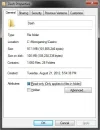
dash.webp

I see 100 MB. Where are the rest of the files?
 
The problem with SSDs is that they don't like frequent rewrites of data, which is why they are suggested as the best location for the OS and frequently used programs. MGS casinos wouldn't be so bad if it wasn't for them constantly updating almost everything one or more times a month, and using tens of thousands of small files for storing their cache.

Until someone (probably me soon) gets a system with an SSD and also plays Microgaming, we will not know how bad the problem is.

Even a standard HDD will die, often because of a breakdown of the moving parts, something that isn't a problem for the SSD. The prices for SSDs are coming down, so hopefully replacing the main SSD will be no more expensive than replacing the main HDD.

My nephew told me that the bigger the SSD, the bigger the error rate, and this was not linear, but a "quadratic" relationship. He said get a smaller SSD and store only the OS and critical programs on it, and everything else on a decent HDD, rather than go for a big SSD in order to have fast access to almost everything. I has made me think of getting a 128Gig SSD rather than the 256Gig offered as an upgrade, and have the OS, Microgaming, and most used programs on it, with everything else on traditional HDDs.
 
The problem with SSDs is that they don't like frequent rewrites of data, which is why they are suggested as the best location for the OS and frequently used programs. MGS casinos wouldn't be so bad if it wasn't for them constantly updating almost everything one or more times a month, and using tens of thousands of small files for storing their cache.

Until someone (probably me soon) gets a system with an SSD and also plays Microgaming, we will not know how bad the problem is.

Even a standard HDD will die, often because of a breakdown of the moving parts, something that isn't a problem for the SSD. The prices for SSDs are coming down, so hopefully replacing the main SSD will be no more expensive than replacing the main HDD.

My nephew told me that the bigger the SSD, the bigger the error rate, and this was not linear, but a "quadratic" relationship. He said get a smaller SSD and store only the OS and critical programs on it, and everything else on a decent HDD, rather than go for a big SSD in order to have fast access to almost everything. I has made me think of getting a 128Gig SSD rather than the 256Gig offered as an upgrade, and have the OS, Microgaming, and most used programs on it, with everything else on traditional HDDs.

I've been running my OS, games such as Portal2 and Titan's Quest, programs such as 3DS Max (resource hog) and Macromedia flash 8 which I use to write flash games and my computer is plugged into my televison and is my main source of entertainment by downloading and streaming movies and television shows. I've been running all of these for almost 3 months and haven't had any errors yet. Everything is running pretty smooth.

My son is also running a larger SSD than me for much longer. I don't remember when he bought it. Maybe last spring. But the only problem he's ever mentioned to me was when he tried to install Win8 and first boot locked the system up but he's never mentioned an issue with the SSD.

I told him that Win8 will be crap. Win7 is great. The Microsoft every second OS is crap rule dictates that Win8 has to be crap. So Win8 will be crap.


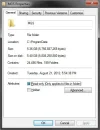
Try C:\Documents and Settings\All Users\Application Data\MGS (XP), or its equivalent under whatever operating system you have.

Found it.

mgs.webp

5 GB isn't much unless you plan to install a whole bunch of MGS casinos. Personally I only need one casino for each brand.

Did I mention Win8 will be crap?
 
You can set the second drive to dual boot or install the 1 TB and switch it over so that's the master and the factory one is the slave (storage) if you're worried about space.

Well, while C: drive space on the SSD is a concern, I'm also concerned about the reliability and stamina of SSD under daily use. I never turn my desktop off (unless going out of town for a few days, and sometimes not even then) - even when I'm not using it, the AV scans and does its updates, Windows does its updates downloads, and there's the occasional defrag run. The setup comes with a 1TB SATA as a secondary drive... and I've got an existing 1TB in this computer I might add internally to the new system later - or maybe just cram it into an external bay. So storage per se is not the prime worry... but things these days all seem to forget to ask where I want to install them... even the newer versions of Paint Shop Pro have a big folder somewhere in my documents and users folder even though it's installed to my D: drive (partition) ... I mean... WTF? why scatter stuff willy nilly? -- so a 'small' primary drive just has me hesitating. LOL I don't have to buy a new one right this minute, but I do want to get one while win7 pro is available. I'm really, really not liking the looks of win8 for a desktop system.

Anyway... thank you all for your thoughts on SSD.

I'm realize I'm really overthinking this... (hubby says, "it's what you want, with the specs you want, so just buy the damn thing already" LOL) But I know whatever I buy... I'll be married to it for the next several years. Big decision.
 
Well, while C: drive space on the SSD is a concern, I'm also concerned about the reliability and stamina of SSD under daily use. I never turn my desktop off (unless going out of town for a few days, and sometimes not even then) - even when I'm not using it, the AV scans and does its updates, Windows does its updates downloads, and there's the occasional defrag run. The setup comes with a 1TB SATA as a secondary drive... and I've got an existing 1TB in this computer I might add internally to the new system later - or maybe just cram it into an external bay. So storage per se is not the prime worry... but things these days all seem to forget to ask where I want to install them... even the newer versions of Paint Shop Pro have a big folder somewhere in my documents and users folder even though it's installed to my D: drive (partition) ... I mean... WTF? why scatter stuff willy nilly? -- so a 'small' primary drive just has me hesitating. LOL I don't have to buy a new one right this minute, but I do want to get one while win7 pro is available. I'm really, really not liking the looks of win8 for a desktop system.

Anyway... thank you all for your thoughts on SSD.

I'm realize I'm really overthinking this... (hubby says, "it's what you want, with the specs you want, so just buy the damn thing already" LOL) But I know whatever I buy... I'll be married to it for the next several years. Big decision.

Did you get the same thing from your friends earlier, "it's what you want, with the job and income you want, so just marry the damn man already" :D

I think you have until the end of the year to get Windows 7, but you could extend this by ordering a system with no OS and buying Win7 now before it is too late.

I am still looking to buy my next desktop before christmas so that I can have Win7, and it will have an SSD as the primary drive. I will soon find out if this presents a significant problem for casino players, or even whether there is a way around things forcing themselves on the C: drive. I am not keen on the idea of the paging file being on an SSD either, but at least with XP you can force it onto a secondary drive.

I may then try building something from scratch to see how well I do. The old Win98 PC will be dismembered and most of it sent to the tip, and the slowest budget WinXP machine will be turned over to the tender mercies of my great niece, who at only 3, keeps ending up on it anyway.
 
Did you get the same thing from your friends earlier, "it's what you want, with the job and income you want, so just marry the damn man already" :D

I think you have until the end of the year to get Windows 7, but you could extend this by ordering a system with no OS and buying Win7 now before it is too late.

I am still looking to buy my next desktop before christmas so that I can have Win7, and it will have an SSD as the primary drive. I will soon find out if this presents a significant problem for casino players, or even whether there is a way around things forcing themselves on the C: drive. I am not keen on the idea of the paging file being on an SSD either, but at least with XP you can force it onto a secondary drive.

I may then try building something from scratch to see how well I do. The old Win98 PC will be dismembered and most of it sent to the tip, and the slowest budget WinXP machine will be turned over to the tender mercies of my great niece, who at only 3, keeps ending up on it anyway.

LMAO.... Actually, that's about right as I agonize and over-think any big decision. My friends got tired of me waffling about before marrying him, told me to just DO it .... Thank goodness, they were right. LOL

I'm coming to the conclusion (as I always do when computer buying time comes around), that the super dooper system I was eyeballing is just so much overkill - plus I want to save a bit of my stash for a new tablet. I do wish I had time to build my own, AND that I knew enough about motherboards to not shoot myself in the foot.

What I will do, in the end, is settle for something less than my ideal computer. Compromises, ya know. But I've still got a couple months of shopping and comparing and agonizing to do. LOL
 
Imo, if you want solid state hard drive, be sure to have that and plus normal HDD. If there is not much room left in SSD you can use on HDD as a spare space for programs etc. And can be use for main backup also but I recommended backup to go into external hard drive rather than internal hard drive because when external hard drive is not in used it goes to sleep mode and save the hard drive mechanical from wearing out too early. Also try stick to Intel processor since I found is much more reliable than AMD. AMD is pretty good but unfortunately is not as stable as Intel and is not good at handle the heat of it unless you purchase proper heat sink rather than the AMD made one like thermaltake that will make it much safer. I recommended to use Geforce since it is more reliable than ATI and more stable than ATI. Because cheaper hardware are not as stable and reliable as expensive hardware unfortunately. So really try stick to those and the better it gets. I have learnt that hard way since I went for AMD and ATI and it wasn't reliable for me even the Phenom II X6 is not as reliable as Intel i7. But speed is similar of course, maybe a bit slower than intel. ATI is slower than Geforce by a bit. So overall its what you get as what you pay for. So its your choice really. :) Remember save up money well and you have better chance of getting good quality intel system and geforce video card at the end. Regard Nathan.
 
I never turn my desktop off

Not a good idea. As I tell people you would never do that to your car. Even if you had the best built car in the world you would never leave it running all day. A well built computer is just like a well built engine. It will last a long time but maintenance and wear and tear are factors. I hope you do regular cleanings which can have a big effect on performance and space.

The suggestions of external storage seems the best for you. I would just suggest you put off buying because prices are going to drop big in the coming months.
 
Yes exactly! Keep the desktop clean every month is very important as the dust will fill up pretty quick I can say. The CPU fan, video card fan, desktop fan sucks in thousands of fine dust every time. So if you want to have clean it done. PLEASE remember plug computer in but power point switch should be OFF. And use the blower to clean it but do not use high pressure blowing setting as it may do damages to fan motor and cause the little fragile chips on motherboard to dislocate like breaking off. Vacuum cleaner is okay but treat with caution also and leave computer power plug at power point but the switch on power point again MUST BE OFF. So it act as earths to drain out any static and spark.
 
I never forget having to sort out customer computer where I used to work in computer shop right. Their machine was clogged up with too much dust and their computer was just cooked to death! Even it stinks inside when you first open up. Eeww! Even some smoko smoke next to computer should never have been allowed as it smear motherboard with brown stain. Eeww! They had to end up paying lots of $$$ to have everything replacement. It is not cheap at all. So best keep it clean and that reduce the chance of disaster.
 
Imo, if you want solid state hard drive, be sure to have that and plus normal HDD. If there is not much room left in SSD you can use on HDD as a spare space for programs etc. And can be use for main backup also but I recommended backup to go into external hard drive rather than internal hard drive because when external hard drive is not in used it goes to sleep mode and save the hard drive mechanical from wearing out too early. Also try stick to Intel processor since I found is much more reliable than AMD. AMD is pretty good but unfortunately is not as stable as Intel and is not good at handle the heat of it unless you purchase proper heat sink rather than the AMD made one like thermaltake that will make it much safer. I recommended to use Geforce since it is more reliable than ATI and more stable than ATI. Because cheaper hardware are not as stable and reliable as expensive hardware unfortunately. So really try stick to those and the better it gets. I have learnt that hard way since I went for AMD and ATI and it wasn't reliable for me even the Phenom II X6 is not as reliable as Intel i7. But speed is similar of course, maybe a bit slower than intel. ATI is slower than Geforce by a bit. So overall its what you get as what you pay for. So its your choice really. :) Remember save up money well and you have better chance of getting good quality intel system and geforce video card at the end. Regard Nathan.

I've been running AMD processors for over 10 years. I use my computers for gaming, programming, multimedia sent to my television, 3D image and video rendering with 3DS max and have never had an issue with any CPU.

Not once.

Intel has charged more for their processors from day one stricktly because of the name. I have always done more with my computer than anyone I know and have had less problems. Time and time again I see people typing "you should get an Intel processor" and I could never figure out why. My computers have always ran great and when I upgraded to a 6 core a couple of months ago getting an Intel processor never even crossed my mind.
 

Users who are viewing this thread

Accredited Casinos

Read about our rating system and how it's done.
Back
Top