


external image

Jackpot Capital (& group) resized

Joined
Jun 5, 2006
Location
Edmonton Canada
Just noticed that the last update of Jackpot Capital, Grande Vegas and Slotastic includes a larger casino window size, which I think is really nice. :thumbsup:

I hardly ever use the full screen option because with a widescreen monitor everything gets stretched out and makes me feel a lil drunk, but my old eyes ain't what they used to be and my screen resolution is superhigh so I really like the couple hundred extra pixels.

Funny though I go back to iNetBet and feel like I need a magnifying glass to see what I'm doing. I wonder if all the RTG casinos will be switching to the larger format?
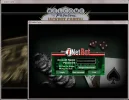
screensize.webp
 
It sucks to be that old doesn't it?:p

I would love that format.
I want to use full screen but I don't sit down for so long and as soon as I change to autoplay it goes back to the miniscreen.
I can't understand why it can't stay. Please Inetbet, go change too ;)
 
One Problem with Large Screen

I agree that the automatic large screen is nice to look at, but I find I have a problem with taking screen shots.

My task bar is completely covered up and there is no minimize button on the casino's page. I have my taskbar coded to always ride on top, but the automatic casino screen has overridden this.

If I want to take a copy of the screen I have to Print Screen, then log out of the casino, paste the screen into Paint and then log on again.

If I want a series of copies, the second one i.e. the results of a feature game win, the game has changed and no longer available. So, besides the nuisance I lose the final copy that I wanted.

If anyone has a solution to this I'd appreciate it.

Also, if Jackpot Capital and friends would just put a minimize button on their site, it would fix the situation.

Thanks
MaryJean
 
I have played at JPC twice since the change and I really don't like it. All the slots that I played seemed to be real "jerky" as they spun. I tried to make the casino smaller but it would not work.

I will most likely give it a few more tries but I am not crazy about it.

That is one of the things I love about 3Dice. I can make the casino as large or as small as I like. When playing a tournament, on auto-spin, I will have the casino very small in one corner of my screen while I read the news, etc. Love that capability!
 
I have played at JPC twice since the change and I really don't like it. All the slots that I played seemed to be real "jerky" as they spun. I tried to make the casino smaller but it would not work.

I will most likely give it a few more tries but I am not crazy about it.

That is one of the things I love about 3Dice. I can make the casino as large or as small as I like. When playing a tournament, on auto-spin, I will have the casino very small in one corner of my screen while I read the news, etc. Love that capability!

I agree. I don't like it when I can't get out of full screen and especially when if I lose connection with internet. I have to control, alt and delete! It is really a problem for me.

Also the reels are spinning too slow and jerky. I do not like this one bit.
 
If I understand the problem , its that you get the large screen and you are not able to see certain tabs like "exit" for example.

All you need to do is hit the escape button and you are able to see the small screen with all the tabs you are asking about!!
hope thbis helps
 
Did you try ALT + ESC? It works with Windows 7, I'm not sure if it works with 8 or other versions. Try it, open Paint (but don't minimize it) then open the casino and you should be able to bounce back and forth between any open windows that aren't minimized.

Also you can try ALT + TAB, that will give you anything that's open whether it's minimized or not, just hold down the ALT key, hit TAB, and keep hitting the TAB key til what you want shows up!

EDIT: Forgot to say, if you don't have anything else open, ALT+TAB will allow you to even go back to the desktop without closing the program you're in.
 
Casino size

Hi there,

The High Resolution View can be changed back to the smaller casino window.

Make sure you're not in full screen mode (click ESC) and then it reduces itself to the high resolution reduced size. Once there, you can toggle the size of the casino software from the corner of the casino software as you would with any other browser. Please note that you will need to wait a couple seconds for the graphics to resolve to the smaller size.

Please PM me if you have persistent issues.

Kind regards,
Yasmeen
Casino Manager
 
I think the problem that some of the people are having is that the casino window is too big for smaller screens to display the edge to allow them to resize it. Maybe the small size should be the default and old folks like me (shut up Sara!) could resize it bigger? Or if there was a keyboard shortcut or some way to toggle it to the original smaller size?
 
ESC DIDN'T WORK FOR ME

Hi there,

The High Resolution View can be changed back to the smaller casino window.

Make sure you're not in full screen mode (click ESC) and then it reduces itself to the high resolution reduced size. Once there, you can toggle the size of the casino software from the corner of the casino software as you would with any other browser. Please note that you will need to wait a couple seconds for the graphics to resolve to the smaller size.

Please PM me if you have persistent issues.

Kind regards,
Yasmeen
Casino Manager


Hi Yasmeen,

I have tried that. The check box is not checked for full screen, but the game is at full screen.
Therefore according to the info above the check box I should be able to use Esc as you stated, but nothing happens. The only way out is to Exit the program and start over---again with a full screen.

A "minimize button" in the upper right of the screen like other programs use would be helpful.

I have Windows 8----(and a semi large monitor)--is either of those a problem?

MaryJean
 

Users who are viewing this thread

Accredited Casinos

Read about our rating system and how it's done.
Back
Top
