Screenshots PM Please

Joined
May 2, 2013
Location
Bournemouth England
Ok i have some nice winning screen shots to post in the FORUM but i have saved the shots to a word document to attach and this is clearly wrong. I have no idea now how to add it ive been shown how to do it but not sure how to save the screen shot to word or what?

Can someone PM me the dummy guide to adding screen shots please. I'm not really any good with computers ugh sorry

Thanks for any help.
 
Ok i have some nice winning screen shots to post in the FORUM but i have saved the shots to a word document to attach and this is clearly wrong. I have no idea now how to add it ive been shown how to do it but not sure how to save the screen shot to word or what?

Can someone PM me the dummy guide to adding screen shots please. I'm not really any good with computers ugh sorry

Thanks for any help.


go to winner screen shots of yesterday
i puted there the guide for you

here
https://www.casinomeister.com/forums/threads/winner-screenshots.4193/

the images shoudl be in .jpg, and uploaded in that format, if you have 3 screen shots = 3 image upload, not 1 word document with 3 images inside
 
I don't want to write the guide myself (to lazy at the moment), I will give you the link to KK:s guide (which I found using a google search):

You do not have permission to view link Log in or register now.


Good Luck! :thumbsup:

OK i have windows Vista and i cannot save as JPEG ugh... help please all i can do is save as Word or PDF no option to save as a JPEG file ?????
 
OK i have windows Vista and i cannot save as JPEG ugh... help please all i can do is save as Word or PDF no option to save as a JPEG file ?????

Yes, take the screenshot and save as jpg/gif/png they will all upload here.
 
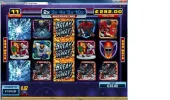
MULTIPLIER WIN.webp

TEST PICTURE:

This is one from yesterday 14th I had another 11 spins total payout was over 750 pounds
 
@dunover it DOESN'T"T give me the option to save as jpeg that's my point bro

You could try downloading windows snipping tool but if not applicable to your version of Vista, try this - if you are using the print screen/screenshot option to collect your picture, you will see a floppy-disc symbol in the top left, 3rd. symbol in usually. Click this and type in a name for the screenshot and change the 'Save as type:' to jpg etc.
 
@dunover it DOESN'T"T give me the option to save as jpeg that's my point bro
Sounds like you were trying to save the Word document as a Jpeg...?
Looks like you've worked out you need to copy the picture into PAINT first.
Hope my guide was useful :thumbsup:

KK
 

Users who are viewing this thread

Accredited Casinos

Read about our rating system and how it's done.
Back
Top