external image

RTG Casinos....

Joined
Aug 26, 2010
Location
Old bag lady with a laptop
Hi,

I know we in the states have few choices but RTG casinos are giving me fits!

I usually play at the CWC group and JPC as well.

Jackpot Capital recently did an update which makes the screen larger which would be nice but a side effect is all the slots are so jerky. I just tried them again and I hate it.

The plus for them is pasteandpay deposit option minimum is $5 which is cool. I never deposit that small of an amount but I have done a 10 spot or $15 even.

Today, I thought I would go to CWC and play. Went to the cashier and minimum deposit with pasteandpay is $30.00!! WTH!

I very rarely do more than $20........... figure I can tell if it's going to do anything with that.

So, JPC is at $5 with jerky slots on put more than my comfort amount with CWC.

Seems to be extreme difference for two casinos with the same software.
 
an Upgrade huh? So that explains it. Aladdin's Gold is all F'd up. The screen size is a mess and you have to use the scroll bars to see the bottom of the screen. I was thinking it was somehow related to my upgrading to IE 11 this weekend.
good to know Its not just me.
 
You can resize the casino window back down to the original size, just hover over the bottom right corner and your cursor will change to a resize thingie, then just click and drag the corner back up. I did that and closed the casino and next time I opened it, it remembered the size too, so that's a plus. Of course that only works if your screen is big enough to see the bottom right corner.
 
an Upgrade huh? So that explains it. Aladdin's Gold is all F'd up. The screen size is a mess and you have to use the scroll bars to see the bottom of the screen. I was thinking it was somehow related to my upgrading to IE 11 this weekend.
good to know Its not just me.

Actually Alladin's Gold and the casinos in the CW group don't have this size upgrade currently - so far it only seems to be JPC and their group, so your issue may be something else. Maybe try rolling back your browser to the previous version just to see if it makes a difference?
 
Well I need to correct my statement.

There are two "voucher" options in the Club World Casino cashier and I must have clicked the wrong one. It has a $30 minimum. The other one is for pasteandpay and it is still $20 minimum...... that made me happy!

ALSO,

ClubWorld still has the old format so the screen is still the same size as it was and the slots don't jerk! Yea!

I made my $20 deposit played for a couple hours and cashed out $140.00.

Not bad at all!

You should also know........... quite a few of the random jackpots are up there!

I hope CWC doesn't change their format!
 
You can resize the casino window back down to the original size, just hover over the bottom right corner and your cursor will change to a resize thingie, then just click and drag the corner back up. I did that and closed the casino and next time I opened it, it remembered the size too, so that's a plus. Of course that only works if your screen is big enough to see the bottom right corner.

Chayton's suggestion was helpful. I simply dragged the window back to the original old version. However I'm having other issues with the Jackpot Capital software. The tabs on top of the software (5 Reel - 3 reel - Bonus Round - Progressives) do not respond when I click on them. They display script errors. Not a big deal because you can access these games through the regular menu with the exception of the 3 reel slots.
 
i hate the new upgrade at jc i stoped playing there caz of it. the slots will make you sick if you watch them too much they are so jerky.

i hope they fix it so i can play there again. did tell them about it and was told that they were working the bugs out untill then i won,t play there.
 
While I realize the following comment is going to go over well with too many...

I welcome all of the upgrades lately. It's because of the upgrades that the slots on RTG are now more bearable to play on Windows 8. Yes on Windows 7, the slots don't seem so nice, but when I want to play on my lap top. It's a breath of fresh air to see RTG upgrading the slots to the newer code format that allows me to play them without the slowness factor. That the old code provided under Windows 8.

So while I realize most people don't like the way the reels spin under the new code. I hate to say it I'm a fan because then at least they spin faster and allow me to enjoy the games under the new windows. I guess yeah, I can't "guess" when the bonus is going to hit now. Yet I have come the conclusion even though I had it almost down. At times it took the fun out of the spin. So I guess the reels now spinning without any rhyme or reason to it. Allows me to be surprised when the 3 or more bonus symbols hit.

Now only if they would upgrade Texan Tycoon, Loose Caboose, and Rain Dance to the newer format. I'd be set to finally stop using my Windows 7 machine except for it being a glorified file server. Then switch to using my lap top more often.

As for the cashier limits, RTG has always had rather higher than most limits. Mainly because they use 3rd party processors that probably charge so much that in order for them to get any of your deposit. They can't allow you to deposit anything less than $20. Granted yeah in the UK and stuff. I have seen deposit limits as low as a $1. Yet that's because the processors aren't quite so rogue in there behavior.

Anywho that's my take on RTG
 
High Resolution Issues

Hi there,
For those still with issues with the high resolution view, please try to change the display configuration on your machine to a high one (i.e. 1280x1024).
Please let me know if this helps you.
Cheers,
Yasmeen
 
Adobe Flash Player are well known to have notoriously unreliable for high graphic slots game and even on youtube video. Its terrible system. Years ago when Macromedia was around it was MUCH better and much more reliable. But now with those modern flash player it is just awful to compare. Even if you are on high end video card, you still get jerking effect or lock up the game to make it look like it crashed/frozen. Very frustrating for many people. So I believe it got nothing to do with casino. It is Adobe's problem. I wish Adobe Flash Player should start add support for any video card to run/rely on GPU/CPU to run simultaneously rather than CPU itself that will reduce the bottleneck of computer system using Cuda enabled in Nvidia or OpenCL enabled for ATI. The only big problem remain is for Intel video card, there is not much feature so it is very limit to your ability to make adjustment and Intel Video Acceleration are not reliable in some of high quality slot games, especially worst with 3Dice. RTG, Microgaming, Netent are alright so far. But Playtech has well known problem to memory leaking in some slot games unfortunately.
 
i hate the new upgrade at jc i stoped playing there caz of it. the slots will make you sick if you watch them too much they are so jerky.

i hope they fix it so i can play there again. did tell them about it and was told that they were working the bugs out untill then i won,t play there.

Will you post here when you "think its fixed" Its a real PIA especially when you are losing Its like just throwing money away
 
CHANGED RESOLUTION

Hi there,
For those still with issues with the high resolution view, please try to change the display configuration on your machine to a high one (i.e. 1280x1024).
Please let me know if this helps you.
Cheers,
Yasmeen

Hi Yasmeen,

I tried changing resolution to the one you suggested, and yes it does reduce the casino window so that it fits onto the screen. However, not only does the casino window become smaller, it changes all of the programs on the computer so that now even my Quicken program is hard to read.

It seems to defeat the purpose of a larger monitor if we have to reduce the size of the viewing area to a smaller one. At this point the casino window is beyond the edge of the monitor so that there are no borders--no scroll bars--no minimize buttons--and the ESC button does not work as suggested.

On another aspect, Weesie mentioned that one can get sick watching the 'wheels' spin on the larger screen. That in fact happened to me last Tuesday---I got so dizzy that I was ill for the next couple days. There is just something weird about the display---something is out of focus.

I have gone back to my original display settings of 1024X768.

I hope this helps.

MaryJean
 
Hi there,

@MaryJean, thanks for the information. I have forwarded it to our gaming provider.
@ Stovetopp and kauphy, I will post here once any updates are received from them.

Please rest assured that we are working diligently on finding a resolution.

Happy Thanksgiving!

Kind regards,
Yasmeen
 
Will you post here when you "think its fixed" Its a real PIA especially when you are losing Its like just throwing money away

I always feel like I'm throwing money away at jackpot capital, with or without the problems. Seriously does anyone win? They hand out close to 250k-500k a month in free chips. Doesn't that tell u something.? It tells me they fluff the system with all their free money with restrictions.
 
I always feel like I'm throwing money away at jackpot capital, with or without the problems. Seriously does anyone win?

Yes, I have won there recently.

They hand out close to 250k-500k a month in free chips. Doesn't that tell u something.? It tells me they fluff the system with all their free money with restrictions.

But it could also tell you that the free money they hand out reduces their profit, at least over the short term. It's a no-win situation you raise here for the casino. If they don't hand out free money, they're cheap; if they do, they're fleecing us.
 
I always feel like I'm throwing money away at jackpot capital, with or without the problems. Seriously does anyone win? They hand out close to 250k-500k a month in free chips. Doesn't that tell u something.? It tells me they fluff the system with all their free money with restrictions.

IMO the problem is RTG not Jackpot Capital actually TBH back when I did play RTG out of most of them Jackpot Capital seemed to be set at a higher RTP just based on the frequency of features I got there. But it's all perception. I could be doing grand at one casino while another player is losing their shirt at another. One of the best things I did playing online was forgetting about RTG.

Also don't take the free chips if they have a max cash-out attached or play them but bet small on a low variance game.
 
Yes, I have won there recently.


But it could also tell you that the free money they hand out reduces their profit, at least over the short term. It's a no-win situation you raise here for the casino. If they don't hand out free money, they're cheap; if they do, they're fleecing us.


wish i could forget about rtg casinos :( . I only deposit every now and then a small amount.If this was my only choice to play i would quit gambling (maybe lol)
 
I see a lot of people complain about rtp, but I am sure I have seen the same complaints about every platform. I think a lot comes down to the group that runs whatever platform and how they operate it.
 
JackPot Capital - good for us

My husband recently received a number of free spins at JPC. He was able to win about $64 on the spins, then had to wager $3,000. He not only completed the wager requirements, but had his check within 5 days by FedEx.

This is a casino he'll deposit with, simply because his cashout was absolutely no hassle- they kept their word, cashed him out and paid him. I'm not sure what more you can ask.

Til
 
The only issue I had with RTG was that it seemed the only time I could get anything going good was when I was bound by a max cashout. It seemed so predictable to me, deposit with no bonus and get slapped, next week get a free $50 chip and my balance would get up to $1000 or more like nobody's business but I could only cash out max. $150.

I know, it's all in my head.:rolleyes:
 
The only issue I had with RTG was that it seemed the only time I could get anything going good was when I was bound by a max cashout. It seemed so predictable to me, deposit with no bonus and get slapped, next week get a free $50 chip and my balance would get up to $1000 or more like nobody's business but I could only cash out max. $150.

I know, it's all in my head.:rolleyes:

Yup :D
 
My home system:

Screen resolution: 1920 x 1080
Physical screen size: 27"

OS: Windows 7 Home Premium 64 bit Service Pack 1

RAM: 12gig

Graphics card: AMD Radeon HD7770

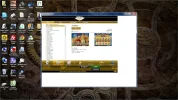
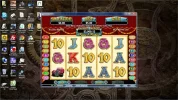
This is what Jackpot Capital looks like on my desktop:

mydesktop2.webp

I need a magnifying glass to read the game names. They are not clear even if you look closer. What is that white space bordering 2 sides?


Once opened the game itself is in good perspective -- large and clear.

mydesktop3.webp
 

Attachments

  • JC-mydesktop.webp
    JC-mydesktop.webp
    52.4 KB · Views: 97
My husband recently received a number of free spins at JPC. He was able to win about $64 on the spins, then had to wager $3,000. He not only completed the wager requirements, but had his check within 5 days by FedEx.

This is a casino he'll deposit with, simply because his cashout was absolutely no hassle- they kept their word, cashed him out and paid him. I'm not sure what more you can ask.

Til

Other than the software which is brutal the only beef I have with this group is the outrageous wagering requirements associated with bonuses. No hassles with cashouts. They are also generous with freebies and if you had deposited several times in a year they reward you with a $50 birthday chip. If you forgot you just need to ask and they credit you in a jiffy.
 
Mousey, if you minimize the casino and then maximize it again does the lobby still display the same way? Also if you drag the bottom corner of the window up does it change the size of the lobby or does it just cover up the white edges?

It's the same, before/after. Dragging the corner in doesn't do anything, the casino just snaps back to what you see in the screenshots. Went into the casino today and opened up a few games. Some games fill the window like in my screenshot. Some games do not, and have a black border on at least two sides. Sheesh... what a messy 'upgrade'.
 
It's the same, before/after. Dragging the corner in doesn't do anything, the casino just snaps back to what you see in the screenshots. Went into the casino today and opened up a few games. Some games fill the window like in my screenshot. Some games do not, and have a black border on at least two sides. Sheesh... what a messy 'upgrade'.

It seems like it's a problem with Flash, something about the redrawing is not working right. If it IS the flash driver, there are a couple things you can try - if you go here:
You do not have permission to view link Log in or register now.
and first thing click the button to make sure you have the latest version of flash player. If you don't, install it and then try the casino again.

If you already have the latest player or if you installed it and it didn't help, on that same page, scroll down til you see the little flash movie with the tree and tire swing - right-click on it and on the menu choose 'settings' and see if 'Enable Hardware Acceleration' is checked. If it is, uncheck it and try the casino again and see if it makes any difference. (And I suppose if it's unchecked, you could check it and try the casino too!)

You might also want to try deleting your flash cookies (just make sure you have your usernames and passwords written down, I doubt they're stored there but you never know!) just in case there's something there.
You can see them here:
You do not have permission to view link Log in or register now.


And if none of that helps, then in desperation you could always try uninstalling and reinstalling the casino - in case one of the last updates got boogered somehow.

That's all I got. :)
 

Users who are viewing this thread

Accredited Casinos

Read about our rating system and how it's done.
Back
Top