


- Joined
- Dec 20, 2009
- Location
- WI
I did "print screen" and saved the image onto a word doc.
How do I post it here to share?
Dumb Diane
How do I post it here to share?
Dumb Diane

Casinos By Status
Popular Filters
By Banking Options
All Games
Popular Bonus Filters
Popular Forums
Forum User Features
Submit A Complaint (PAB)
PAB Rules and Guidelines
Browse PABs
Popular News Sections
About Us


Just enlarge the screen (assuming you don't want your desktop to show) and hit the print screen button, print screen (PRTSC or PRTSCN on some keyboards). . Then go to word doc and hit ctrl + v (or paste however you are use to).
It depends on your keyboard. If your print screen button doesn't work on it's on then you might have a "fn" button. Hold down the fn button and hit print screen. Then do everything else etc etc.
If neither method works for you then, post what type of computer/keyboard you are on.
Some keyboards use other combinations (FN+INSERT) to take a screen capture.


I think she's got the screenie but doesn't know how to post it.
Diane, when you're making a new post, underneath where you're typing is a button labelled "Manage Attachments" - click on it and it will open a window to browse and upload your graphic - once it's uploaded you click the button "Insert Inline"

I tried to edit my post quickly after I re-read her post. I since fixed it lol. My mistake.


I upload to my photobucket account (it's a free account that host your pictures). Once you have them loaded at the site you can copy/paste the URL link from the site to this site.
I'm sure there are other methods. Thats the only one I've used.
If you have firefox and photobucket you can follow this article to save some time (i've never used it):
You do not have permission to view link Log in or register now.


you're so wacky.
I used to host my screenies on my own server and just link to them but I find it's just easier to attach them here - it's one less step and I'm lazy like that.

I think she's got the screenie but doesn't know how to post it.
Diane, when you're making a new post, underneath where you're typing is a button labelled "Manage Attachments" - click on it and it will open a window to browse and upload your graphic - once it's uploaded you click the button "Insert Inline"

Open up the word doc
Press Print screen again
press ctrl+C
Open Paint (in accessories)
press ctrl+V
go file - save as (name it) make sure you save as a JPEG file
This should go to your pictures folder or my documents folder
when you try to do your attachment
choose browse
check my pics or my docs for the name of the file you just copied into paint

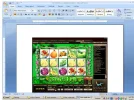
Nice win Diane!
skip the MS word step - do ALT-Print screen, open Paint, then save it as a Jpeg. Congrats again on the win...hubba hubba!!!!
on your NEXT big win


I agree with this.on your NEXT big win

If you hold the right ALT key whilst you press PrtSc it will only take a snap of the active window in full screen. so no desktop will show!




