



- Joined
- Sep 28, 2010
I rang up a few weeks ago and spoke to Pat (iirc Irish guy, if he is ever in my neck of the woods I will take him out for a few beers lol), regarding a banking error at Golden Lounge, after a long chat to which he reliably informed me the IT guys were working on the problem I decided to play at another casino from their group. I logged into Dash to be faced by the same problem and shortly after it was the same at Nedplay, I rang up again and told Pat that the problem had now spread to all their casinos bar 32Red.
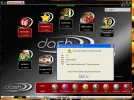
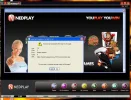
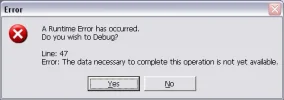
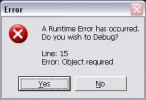
So, this problem has now been fixed, but, it has created another, whenever I play at any of the three casinos affected by this I suffer constant script error spam, my IE settings are script error notifications disabled which leads me to believe it is a problem your end, here is the error window, notice it is a banking error even though i`m not in the banking area, these appear as soon as I log on and re-appear every minute or so..........
Thanks in advance .
.
P.S.
These are bloody annoying lol.
So, this problem has now been fixed, but, it has created another, whenever I play at any of the three casinos affected by this I suffer constant script error spam, my IE settings are script error notifications disabled which leads me to believe it is a problem your end, here is the error window, notice it is a banking error even though i`m not in the banking area, these appear as soon as I log on and re-appear every minute or so..........
Thanks in advance
.P.S.
These are bloody annoying lol.


 .
. .
.




 wha----? You can actually cash OUT? I thought it was a one-way thing.


